
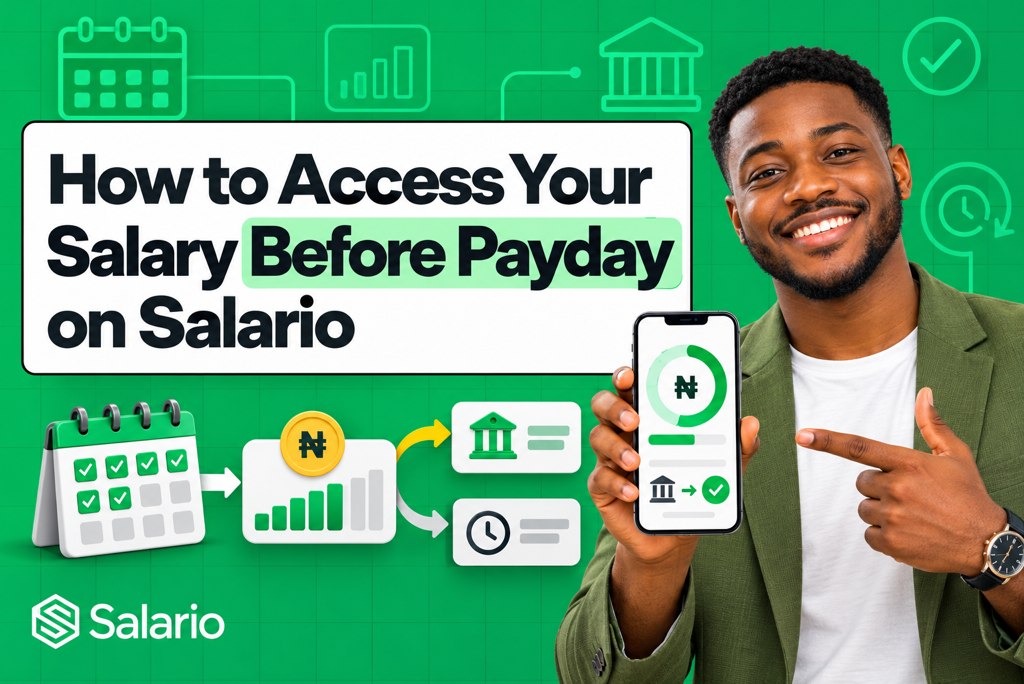
How to access your salary before payday on Salario starts with one important requirement: your employer must use Salario and enable Earned Wage Access for you. Once you are eligible, you can sign in, view the portion of your salary you have already earned, choose an amount within the available limit, submit your request, and receive an approved payout in your bank account.
The amount is not an additional salary or bonus. It is part of the salary you have already accrued during the current pay period. Any amount received early is recorded and accounted for when Salario calculates the salary remaining on your normal payday.
This guide explains every step, what determines your available balance, why a request may be unavailable or declined, and how early access affects your final payslip.
What Does Accessing Your Salary Before Payday Mean?
Salario provides Earned Wage Access, also called EWA or on-demand pay. It allows an eligible employee to receive part of the wages already earned before the employer’s normal salary date.
Suppose you are paid at the end of every month. As you complete eligible workdays, hours, or shifts, part of your monthly compensation accrues. Salario calculates an earned-wage balance and applies your employer’s policy to determine how much may be available for early access.
You may then request an amount within that limit. Once paid, the transaction is connected to your payroll record so the correct remaining salary can be processed on payday.
The basic flow is:
Work completed → Salary accrued → Eligible amount displayed → Request submitted → Approval and payout → Payday reconciliation
Earned Wage Access is different from receiving next month’s salary early. It should be based on work already completed, while a traditional salary advance may use salary you expect to earn in the future.
Before You Try to Access Your Salary Early
Confirm the following before starting.
Your employer uses Salario
An employee cannot independently activate employer-integrated EWA for a company. Your organisation must create its Salario account, complete the required business onboarding, add employees, and enable the benefit.
If you have not received a Salario invitation or cannot see an EWA option, contact your HR, Payroll, or People Operations team.
You have completed your employee setup
Accept the official invitation from your employer and complete the required profile information. Depending on your organisation’s setup, this may include your name, employee number, phone number, work email, bank account, and identity-verification details.
Enter the same bank details held in the approved payroll record. Incorrect or unverified information can delay or prevent a payout.
Your employer has enabled EWA for your employee group
Companies can create different policies for permanent employees, contract staff, hourly workers, departments, locations, salary levels, or tenure groups. The fact that a colleague has early access does not always mean every employee has the same limit or eligibility.
Your work or attendance record is current
For employers that connect EWA to attendance, Salario may use approved workdays, hours, shifts, or timesheets to determine the compensation already earned. Missing clock-ins, unapproved shifts, unpaid leave, or a pending timesheet can reduce the displayed balance.
How to Access Your Salary Before Payday on Salario: Step by Step
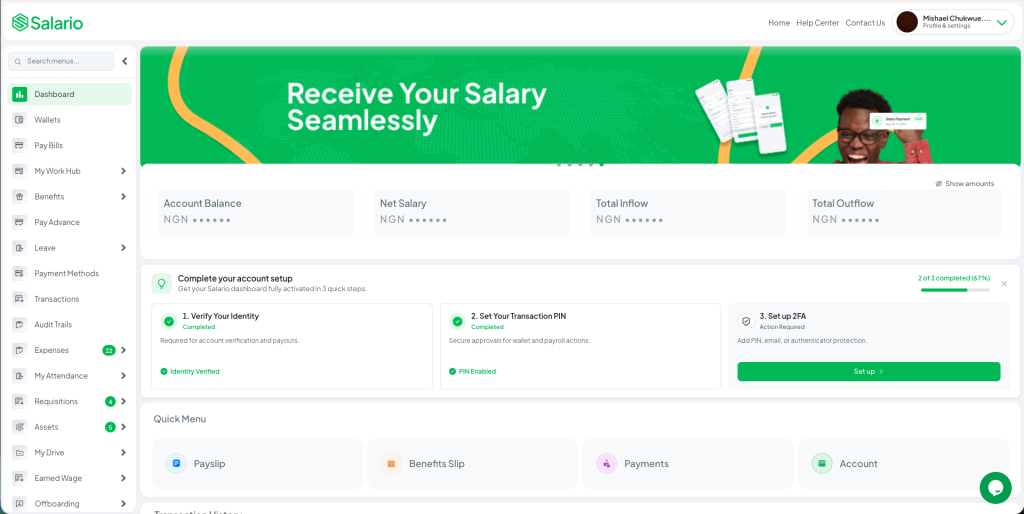
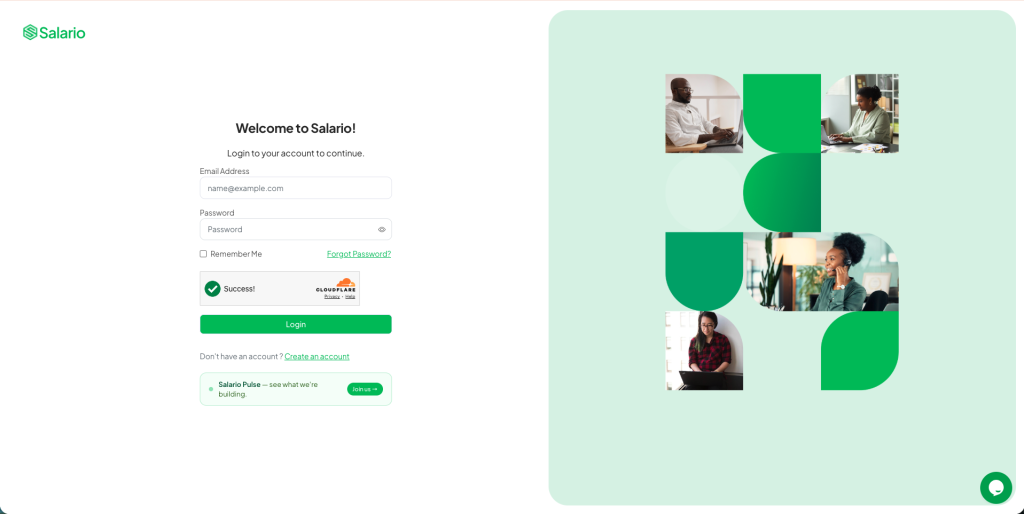
Step 1: Sign in to your Salario employee account
Open the official Salario web platform or mobile application and sign in using the account connected to your employer.
Use only official links and applications supplied by your organisation or Salario. Do not share your password, PIN, one-time password, or two-factor authentication code with anyone claiming they must submit the request for you.
If you cannot sign in, use the official recovery process or contact your employer’s authorised administrator. Do not create a second profile, because it may not be connected to your payroll record.
Step 2: Open Earned Wage Access
From your employee dashboard, open the Earned Wage Access available by your employer.
If no option appears, possible reasons include:
- Your employer has not enabled EWA
- Your employee category is not eligible
- Your onboarding is incomplete
- Your organisation has temporarily paused requests
- The current payroll period is not open for access
Contact HR or Payroll rather than attempting to use an unrelated lending application.
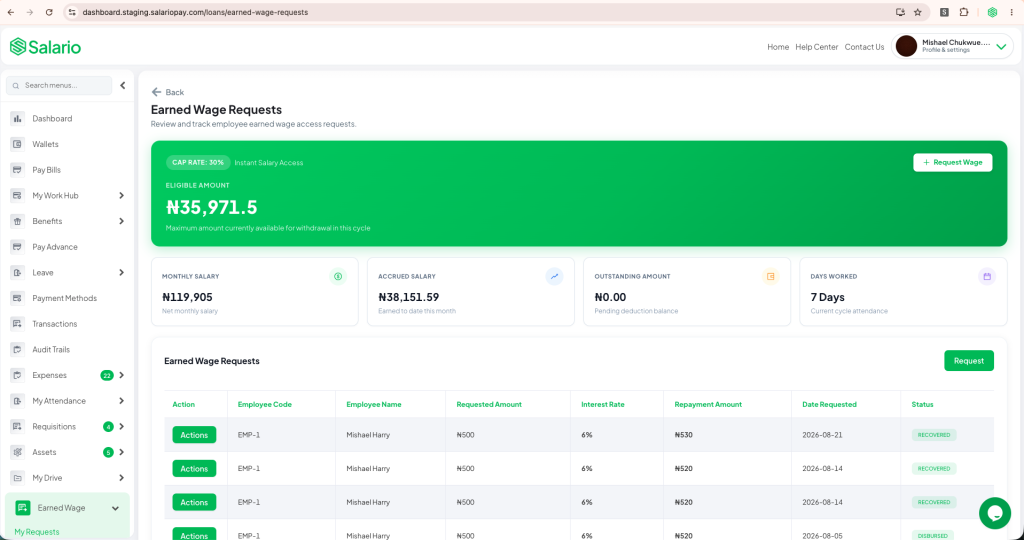
Step 3: Review your accrued and available balances
Before requesting money, examine the information shown on the EWA dashboard. Salario’s employee view can include:
- Current salary or compensation basis
- Approved days, hours, or shifts worked
- Accrued earnings for the pay period
- Amount currently eligible for early access
- Previous EWA withdrawals
- Remaining availability
- Request and payout history
- Estimated balance remaining for payday
These figures are not all the same.
Accrued salary is the estimated compensation connected to work completed so far. Eligible amount is the portion your employer’s policy currently allows you to request. Remaining payday balance is an estimate of what may remain after early access, before final payroll adjustments.
Step 4: Choose an amount within your available limit
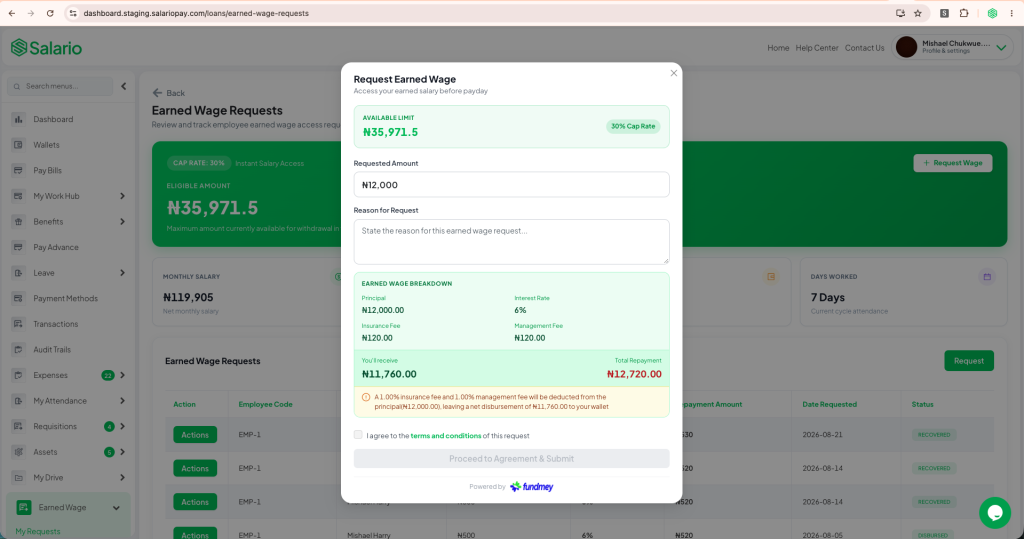
Enter or select the amount you want to receive. You do not have to withdraw the full balance simply because it is available.
Consider the effect on your next payday first. If ₦60,000 is available but your immediate need is ₦20,000, requesting only what you need preserves more salary for rent, savings, loan payments, and other month-end expenses.
The system should prevent you from requesting more than the available amount. Your employer may also impose a minimum request, maximum request, monthly cap, or limit on how many requests you can make within a pay period.
Step 5: Review the request details carefully
Before confirming, check:
- The amount requested
- Your receiving bank account
- Any displayed transaction or transfer fee
- Whether approval is required
- The estimated payday impact
- The expected payout method
- Any programme terms or acknowledgement
Do not assume every EWA programme has identical fees. Funding, transfer, and employer arrangements may differ. Salario or your employer should show or communicate the applicable terms before you confirm the request.
If a cost or deduction is unclear, stop and ask HR, Payroll, or the official support channel.
Step 6: Submit the request
Confirm the details and submit your EWA request. Salario records the request against your employee and payroll profile.
Depending on your employer’s policy, the request may be:
- Approved automatically when it meets all rules
- Sent to HR, Payroll, Finance, or a manager for approval
- Referred for review when information is missing or the amount triggers an additional control
You should be able to see whether the request is pending, approved, rejected, paid, failed, or reversed. Avoid submitting the same request repeatedly while its status is still pending.
Step 7: Receive the approved amount
After approval and payment validation, the eligible amount is sent to the bank account connected to your Salario employee record.
Salario describes its EWA flow as supporting fast bank payouts. Actual arrival time can still depend on approval requirements, bank availability, payment-network status, account details, security checks, and your employer’s configuration.
Confirm the transaction in your bank account rather than relying only on an in-app status. If Salario shows a successful payout that has not arrived, report it through the official support process and provide the transaction reference without sharing your PIN or password.
Step 8: Track the transaction in your history
Open your request or payout history and confirm that the correct amount and status appear. A clear record should show the request date, amount, approval or payment status, and its connection to the current payroll period.
Keeping this record helps you plan for payday and identify any duplicated, failed, or unfamiliar transaction quickly.
Step 9: Review your payslip on payday
When the employer processes payroll, Salario accounts for the amount already received. Your final payslip should show the approved earnings and deductions while making the EWA reconciliation understandable.
Check that:
- The early-access amount matches what you received
- The remaining salary calculation is correct
- The same request was not accounted for twice
- Any fee shown agrees with the terms presented earlier
- Your statutory and other authorised deductions remain accurate
- The final net payment matches the amount received on payday
Report any difference promptly through HR, Payroll, or Salario’s official support process.
What Determines How Much Salary You Can Access?
Your monthly salary alone does not determine the available amount. Salario can apply several factors.
Work already completed
Availability grows as eligible work is completed. For hourly or shift-based workers, approved attendance and timesheets can provide the basis for calculating earned compensation.
Your employer’s access percentage
The company may allow access to only a portion of accrued earnings. Keeping a reserve helps cover PAYE, pension, benefits, unpaid leave, payroll corrections, and the employee’s normal payday needs.
A fixed monthly maximum
Your employer may apply a naira limit even when the percentage calculation would produce a higher amount.
Request frequency
A policy may allow one, two, or another limited number of requests per pay period. Reaching that frequency limit can make the remaining balance temporarily unavailable.
Previous EWA withdrawals
Any amount already accessed during the same period reduces what remains available.
Employment and payroll status
Tenure, probation, notice period, unpaid leave, suspension, payroll cut-off, offboarding, or an inactive employee record may affect eligibility.
Expected deductions and adjustments
Existing salary advances, authorised deductions, benefits, tax, pension, or payroll corrections may reduce the safe amount available for early access.
A Simple Salario EWA Example
Assume your estimated net salary for the month is ₦300,000 and the pay period contains 20 eligible workdays.
After completing 10 approved workdays, your estimated accrued net earnings may be ₦150,000. If your employer allows access to 50% of eligible accrued earnings, the dashboard could show a maximum of ₦75,000 before previous withdrawals or other limits.
If you request and receive ₦40,000:
- You have received ₦40,000 before payday
- The unused eligible amount is not lost
- Your normal payday payment is reduced by the ₦40,000 already received
- Your estimated remaining salary would be ₦260,000 before final payroll adjustments
This example is for explanation only. Salario uses the employer’s configured salary, attendance, eligibility, limit, deduction, and payroll rules. Your displayed balance is the relevant amount for your account.
How to Use Early Salary Access Responsibly
EWA is most useful for a genuine timing problem, not as a permanent increase in income.
- Request only the amount you need
- Check the payday impact before confirming
- Include every fee when comparing alternatives
- Avoid repeated withdrawals for routine expenses where possible
- Preserve enough payday income for rent, food, transport, savings, and existing commitments
- Review your transaction history regularly
- Report an unfamiliar request immediately
- Use budgeting or financial-support resources if you need EWA during every pay period
If recurring costs consistently exceed your salary, earlier access alone will not solve the shortfall. It may help temporarily, but you may also need a revised budget, debt support, additional income, or a conversation about compensation and benefits.
Keep Your Salario Account Secure
Salary and banking information is sensitive. Protect your account by following these practices:
- Use a strong, unique password
- Enable the available two-factor authentication or security PIN
- Never share an OTP, password, or PIN with HR, a colleague, or a supposed support agent
- Sign in only through the official Salario platform or application
- Confirm bank-detail changes through the approved process
- Avoid accessing salary information on shared or public devices
- Sign out when using a device you do not control
- Report a lost phone, suspicious login, or unrecognised request immediately
Salario support or your employer may ask for a transaction reference, but they should not need your password or authentication code.
What If Your Employer Does Not Offer Salario EWA?
You cannot activate employer-integrated Earned Wage Access on behalf of your company. You can ask HR or Payroll whether the organisation plans to offer it and share Salario’s Earned Wage Access product page.
For employers, the setup process includes creating a Salario account, completing business verification, onboarding employees, setting eligibility and access rules, and enabling EWA. Policies can cover percentage limits, maximum monthly amounts, request frequency, employee groups, approval requirements, and funding arrangements.
Your employer should communicate the programme terms before launch so employees understand eligibility, costs, payday effects, support, data use, and the process for resolving errors.
Is Salario Earned Wage Access a Loan?
Salario’s EWA product is designed around a portion of wages already earned, while a salary advance may provide money against future compensation.
However, the practical and legal treatment of any early-pay product depends on its actual structure, funding, fees, recovery terms, and local requirements. Review the terms shown for your employer’s programme.
For a detailed explanation, read What Is Earned Wage Access and How Does It Work? and Salary Advance and Earned Wage Access in Nigeria.
Final Thoughts
Learning how to access your salary before payday on Salario is straightforward once your employer has enabled the benefit. Sign in to your employee account, open Earned Wage Access, review the accrued and eligible balances, choose an amount you genuinely need, check the terms and payday impact, submit the request, and track the payout through your transaction history.
Remember that early access does not add to your salary. Salario records the amount received and reconciles it when the employer runs payroll, leaving the correct remaining balance for payday.
If EWA is already available in your organisation, sign in through the official Salario platform and review your eligibility. If it is not available, ask your HR or Payroll team to learn more about Earned Wage Access with Salario.