
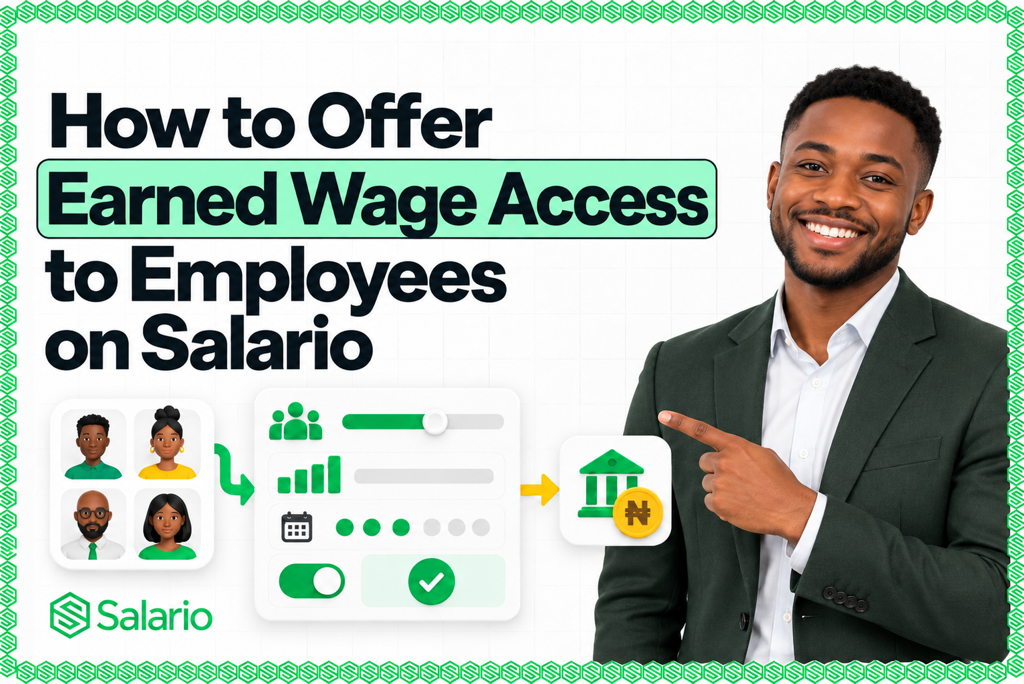
How to offer Earned Wage Access to employees on Salario takes three main steps: log in to your Salario dashboard, open Earned Wage → Policy from the left menu, and configure your company’s Earned Wage Access policy. Once you activate it, eligible employees are notified and can request access to part of the wages they have already earned, based on the rules you set.
This allows you to support employees without changing your normal payroll schedule. Salario calculates accrued earnings, applies the company policy, records approved payouts, and accounts for wages already accessed when the final payroll is processed.
The setup is simple, but the policy decisions behind it matter. Before activating EWA, employers should decide who qualifies, how much can be accessed, how often requests can be made, whether approval is required, how attendance affects eligibility, and what happens during payroll cut-off or employee offboarding.
This guide walks through the complete setup and shows how to launch Earned Wage Access responsibly.
What Is Earned Wage Access?
Earned Wage Access, commonly called EWA or on-demand pay, allows an eligible employee to receive part of the compensation they have already accrued before the organisation’s normal payday.
If an employee is paid monthly, part of that salary is earned as eligible workdays, hours, or shifts are completed. An EWA system calculates the accrued amount, applies the employer’s access limit, and shows the portion currently available for withdrawal.
When the employee receives money early, the amount is not an additional salary or bonus. It forms part of the same pay cycle and is reconciled when the remaining salary is paid.
The Salario workflow connects the full process:
Work completed → Salary earned → EWA eligibility → Employee request → Approval → Bank payout → Payroll reconciliation
This is different from a traditional salary advance, which may provide money against compensation the employee expects to earn in the future. Salario EWA is designed around wages already earned and an employer-controlled policy.
For a foundational explanation, read What Is Earned Wage Access and How Does It Work?.
Why Offer Earned Wage Access to Employees?
Expenses do not always align with payday. Employees may need money for transport, food, utility bills, school expenses, urgent repairs, or a medical need after they have completed part of the month’s work but before the salary date.
Without a structured option, employees may send informal advance requests to managers, borrow from friends, use expensive short-term credit, or become distracted by an urgent financial problem.
Earned Wage Access provides a controlled alternative. Employees can view an eligible amount and submit a request through Salario, while the employer retains control over access rules, limits, approvals, funding, and payroll treatment.
For the employer, a well-designed EWA programme can provide:
- A consistent alternative to informal salary requests
- Clear employee eligibility and withdrawal limits
- A traceable request and approval history
- Fewer spreadsheets for HR and Finance
- Automatic connection to payroll reconciliation
- A financial-wellness benefit for recruitment and retention
- Better employee visibility into accrued wages and payday impact
EWA does not increase compensation or solve every financial challenge. Its value comes from giving employees more flexibility over when they receive an eligible portion of money already earned.
Before You Activate Earned Wage Access on Salario
The dashboard setup takes only a few minutes, but prepare the following decisions first.
Confirm who should be eligible
Decide whether EWA will be available to:
- All active employees
- Permanent employees only
- Employees who have completed probation
- Specific departments, branches, locations, or pay groups
- Hourly and shift workers with approved attendance
- Employees who have completed a minimum tenure
Your eligibility rule should be easy to explain and applied consistently. Avoid informal exceptions that create unequal treatment or make payroll difficult to audit.
Define what counts as earned compensation
For fixed monthly employees, accrued earnings may be calculated using eligible days in the pay period. For hourly, shift, or variable workers, approved attendance and timesheets may provide a more reliable basis.
Decide whether the calculation includes only fixed salary or also includes verified overtime, commission, shift pay, and other variable earnings. Exclude amounts that have not been approved or cannot be confirmed until payroll closes.
Protect the employee’s payday balance
Do not make 100% of estimated accrued pay available automatically. Payroll may still need to account for PAYE, pension, benefits, unpaid leave, corrections, existing advances, and other authorised deductions.
Setting a conservative access percentage preserves a payday balance and reduces the risk of overpayment.
Decide how the programme will be funded
Earned Wage Access may be employer-funded or supported by an integrated funding partner, depending on the programme arrangement.
Confirm:
- Who supplies the money for each early payout
- Which payment partner sends funds to employees
- Whether the employer must maintain a funding balance
- How settlements and failed transfers are handled
- Which fees apply to the employer or employee
- What happens when the final payroll is insufficient
Review the current commercial and funding terms with Salario before launch.
Prepare accurate employee and payroll data
Employees should have complete profiles, correct salary information, verified bank details, current employment status, and accurate attendance or timesheets where those records determine eligibility.
EWA calculations are only as reliable as the source data. Resolve missing clock-ins, duplicate employee records, unapproved leave, and incorrect bank accounts before activation.
How to Offer Earned Wage Access to Employees on Salario: 3 Steps
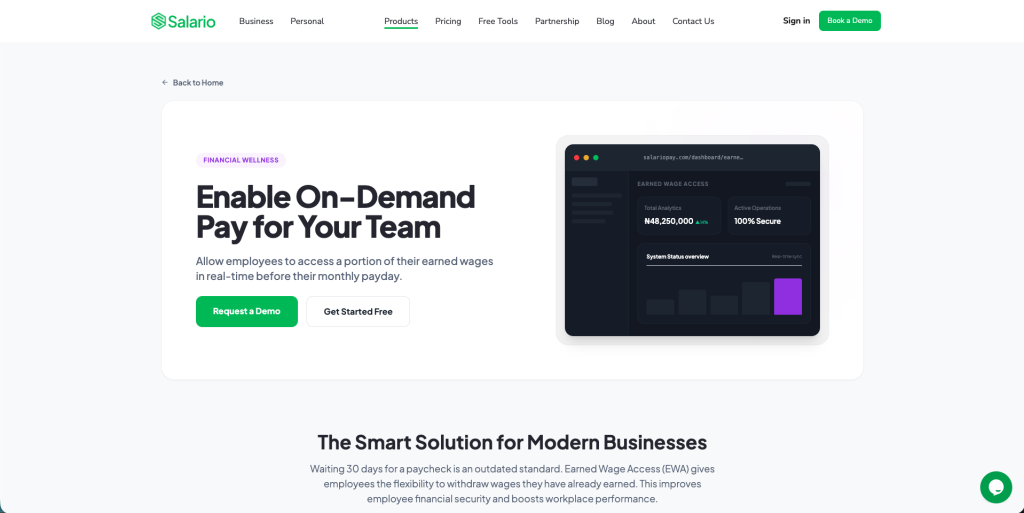
Step 1: Log in to Salario
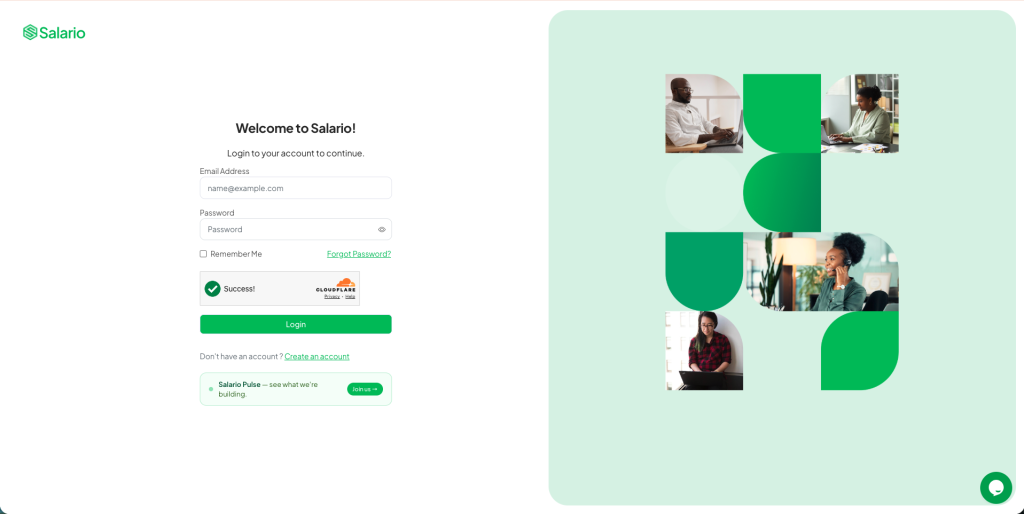
Log in to your Salario dashboard using an authorised company administrator account.
The person configuring EWA should have the appropriate HR, Payroll, Finance, or company-administrator permissions. Avoid using a shared login. Individual administrator accounts create a clearer record of who changed a policy or approved a request.
If your organisation has not completed Salario onboarding, first create the business account, complete the required company verification, add employees, confirm payroll data, configure security controls, and verify the relevant payout or funding information.
Step 2: From the left menu, click Earned Wage Access → Policy
After signing in, locate Earned Wage Access in the left navigation menu and select Policy.
The Policy section is where the organisation defines how employees can use EWA. These rules control availability before an employee can submit a request.
If you cannot see the Earned Wage menu, confirm that:
- Your account has the required administrator permission
- Earned Wage Access is available for your organisation
- Business onboarding and verification are complete
- The relevant Salario service has been enabled
Contact Salario through an official support channel if the feature should be available but is missing.
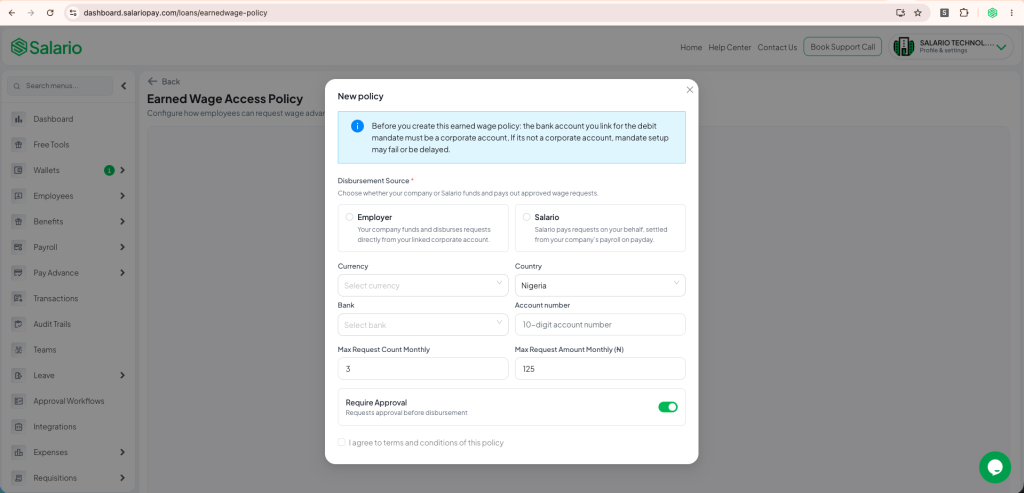
Step 3: Set up and activate your company’s EWA policy
Create the rules that will govern employee access. Depending on your organisation’s configuration, the policy may cover:
- Minimum employment tenure
- Maximum access percentage
- Maximum monthly amount
- Minimum or maximum amount per request
- Number of requests allowed per pay period
- Manual or automatic approval
- Required approvers and approval sequence
- Payroll cut-off dates
- Employer-funded or partner-funded access
Review every setting, save the policy, and activate it.
That’s it. Once the policy is active, eligible employees are notified and can request access to their earned wages according to the limits and conditions you configured.
How to Design a Responsible EWA Policy
Activating the feature is easy. Designing a policy that supports employees without creating payroll problems requires more care.
Set a maximum access percentage
The access percentage determines how much of an employee’s eligible accrued wages can be requested.
For example, if an employee has accrued ₦150,000 and the policy makes 50% available, the maximum eligibility before other limits would be ₦75,000.
The percentage in this example is illustrative, not a universal recommendation. Choose a limit that leaves enough salary for statutory deductions, benefits, corrections, other authorised deductions, and the employee’s payday needs.
Add a fixed monthly cap
A fixed cap protects the employee and employer when a percentage calculation produces a high amount. The policy can apply the lower of:
- The permitted percentage of accrued earnings; or
- The company’s maximum naira amount
This makes programme cost and exposure more predictable.
Limit request frequency
Decide how many times an employee can request earned wages during one pay period. A frequency limit reduces repeated small transfers, controls transaction costs, and discourages employees from treating the available balance like a daily spending wallet.
Choose an approval workflow
Small requests that satisfy every rule may be suitable for automatic approval. Larger or unusual requests may require HR, Payroll, Finance, or multi-level approval.
The approval workflow should be based on objective controls rather than requiring employees to disclose private details about every emergency. Keep the request experience respectful while preserving the checks your organisation needs.
Establish a payroll cut-off
Stop or limit new requests shortly before payroll is finalised. A cut-off gives Payroll time to reconcile withdrawals, confirm attendance, process deductions, generate payslips, and approve the final payment schedule.
Tell employees exactly when access closes and when it becomes available again.
What Employees Experience After You Activate EWA
When the policy is active, eligible employees receive a notification and can access the EWA section through Salario.
The employee experience can show:
- Salary or compensation information
- Accrued wages for the current period
- Amount eligible for early access
- Previous withdrawals
- Remaining availability
- Request and payout history
- Estimated amount remaining for payday
The employee selects an amount within the available limit, reviews the bank account and applicable terms, and submits the request.
Depending on your policy, Salario either applies automatic approval rules or sends the request through the configured approval workflow. Once approved and validated, the amount is paid to the employee’s bank account and recorded against the payroll period.
For an employee-facing walkthrough, read How to Access Your Salary Before Payday on Salario.
What Happens to Payroll After an Employee Uses EWA?
Salario connects each completed withdrawal to the employee’s accrued ledger and payroll record.
When the company runs payroll, the system accounts for the amount already received and calculates the remaining salary after final earnings, PAYE, pension, benefits, authorised deductions, corrections, and other approved payroll items.
The simplified calculation is:
Final net salary − wages already accessed − applicable disclosed charges = remaining payday payment
The employee’s payslip should make the EWA reconciliation understandable. It should not appear as an unexplained deduction or make it look as though the employee’s approved salary disappeared.
This payroll connection is one of the main advantages of using Salario rather than tracking requests in email, chat messages, or a separate spreadsheet.
Employer Controls to Review After Activation
Do not treat activation as the end of implementation. Review the programme regularly.
Monitor adoption and repeated use
Track the number of eligible employees, requests, approval rates, average amounts, repeated use, failed payouts, and remaining payday balances.
Frequent use by the same employees may signal that limits are too loose or that additional financial-wellness support is needed.
Reconcile every payroll
Finance and Payroll should compare completed EWA payouts with the payroll ledger, bank records, payslips, and the final net-payment schedule. Investigate duplicates, reversals, missing entries, and unmatched transactions before payroll approval.
Review administrator access
Limit policy changes and approvals to authorised roles. Remove access when an administrator changes responsibility or leaves the organisation. Use individual accounts, strong passwords, two-factor authentication, and auditable approval workflows.
Protect employee data
EWA uses employment, attendance, salary, identity, and bank information. Share only the information required for eligibility and payment, keep records within approved systems, and follow your organisation’s privacy and retention policies.
Ask employees for feedback
Find out whether employees understand the available balance, fees, approval status, and payday impact. Confusion at these points can lead to complaints even when the arithmetic is correct.
Use the feedback to improve onboarding messages, policy wording, support materials, and in-product guidance.
Final Thoughts
Learning how to offer Earned Wage Access to employees on Salario is simple: log in to Salario, open Earned Wage Access → Policy, configure your company rules, and activate the policy.
Once activated, eligible employees are notified and can request access to wages already earned whenever they need it, within the limits you set. Salario connects the request to employee records, payout, accrued balances, payroll, and final payday reconciliation.
Support your employees without changing your payroll schedule. Create transparent limits, protect the payday balance, explain every cost, and monitor the program responsibly.
Become the employer your employees deserve. Log in to Salario and activate Earned Wage Access.