
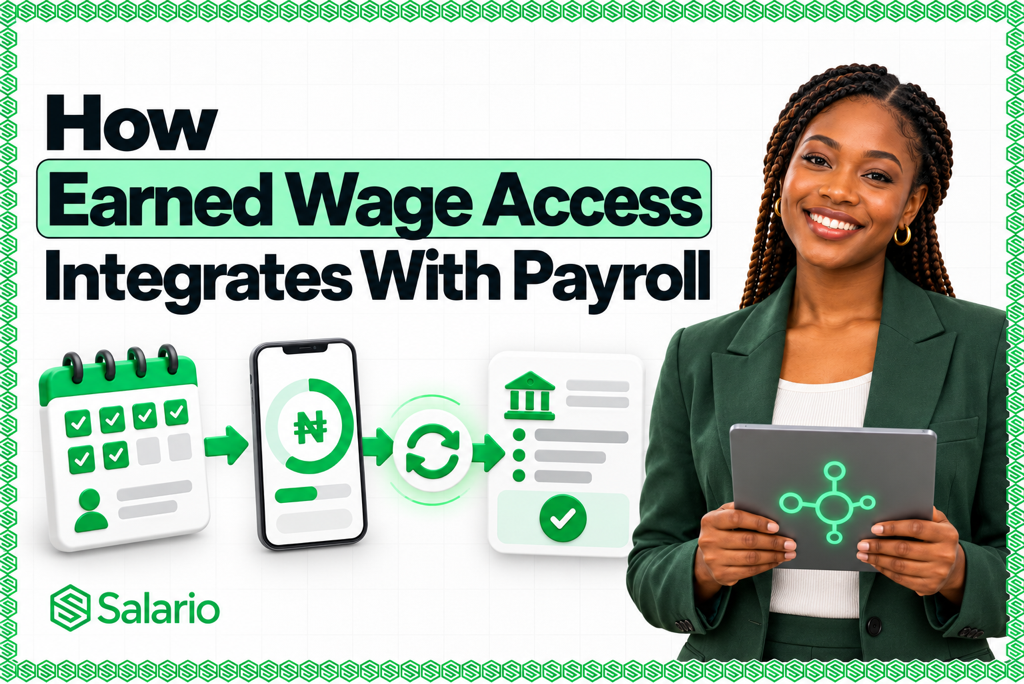
How earned wage access integrates with payroll determines whether the benefit simplifies salary administration or creates more work for HR and Finance.
Earned Wage Access, commonly called EWA or on-demand pay, allows employees to access part of the wages they have already earned before the organisation’s normal payday.
However, paying an employee early is only one part of the process. The employer must still calculate how much the employee has earned, apply access limits, record the withdrawal and ensure the correct remaining salary is paid at the end of the month.
This is where payroll integration becomes essential.
A properly integrated earned wage access platform connects employee records, attendance, salary information, company policies, payouts and final payroll calculations. Instead of tracking early wage payments manually in spreadsheets, every transaction becomes part of the employee’s payroll record.
This guide explains how earned wage access integrates with payroll, what happens from the moment an employee works to the final payday, and how Salario automates the complete process.
What Is Earned Wage Access?
Earned Wage Access allows an employee to withdraw a portion of salary already earned during the current payroll period.
For example, an employee may be paid monthly on the 30th but need money for transport, medical treatment or another urgent expense on the 16th.
If the employee has completed part of the month, an EWA platform can calculate the amount of salary already earned. Subject to the employer’s policy, the employee can access part of that amount before payday.
The early payment is then reconciled when the company processes payroll.
EWA is different from a traditional salary advance because it is normally based on completed work rather than future earnings. You can learn more about the distinction in Salario’s guide to salary advances and earned wage access in Nigeria.
Why Earned Wage Access Must Be Connected to Payroll
Payroll contains the information required to determine how much an employee should receive:
- Monthly salary
- Working days
- Attendance records
- Allowances
- Overtime
- Bonuses and commissions
- Approved deductions
- Tax and pension information
- Previous EWA withdrawals
- Final net salary
An EWA platform that cannot access accurate payroll information may rely on estimates, outdated salary figures or manual uploads. This creates a risk that employees will access more money than they have earned.
A disconnected process can also force payroll administrators to manually enter every withdrawal at the end of the month.
Proper EWA payroll integration ensures that available wages, early payouts and remaining payday balances are calculated from the same employee and compensation records.
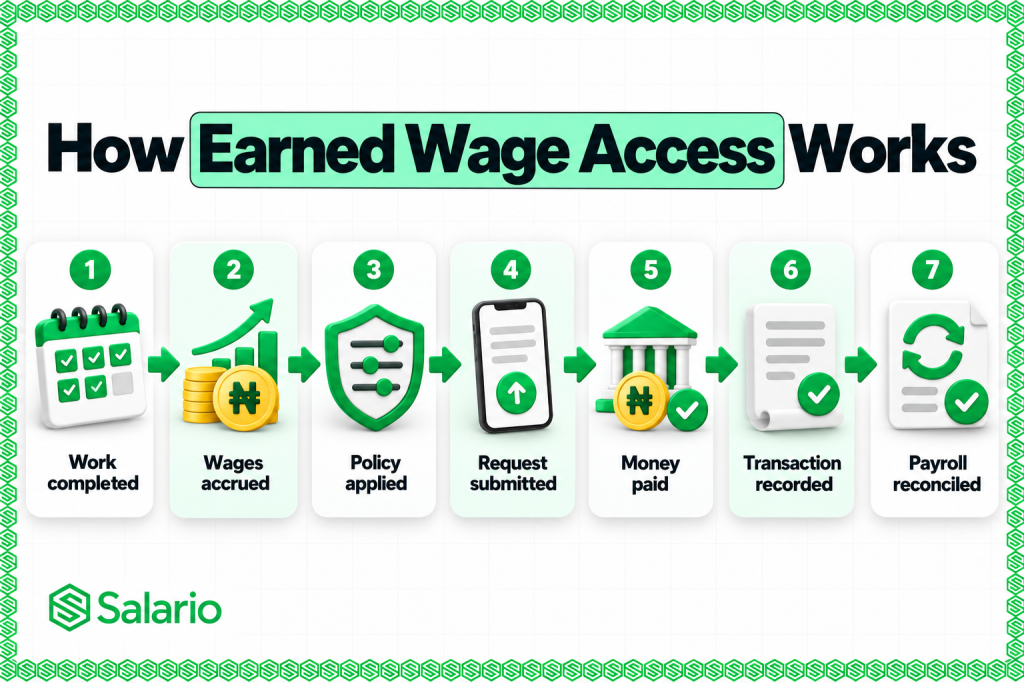
The complete workflow becomes:
Work completed → wages accrued → policy applied → request submitted → money paid → transaction recorded → payroll reconciled
How Earned Wage Access Integrates With Payroll: Step by Step
Understanding how earned wage access integrates with payroll is easier when the process is divided into stages.
1. Employee and Salary Information Enters the Payroll System
The process begins with an accurate employee record.
The payroll system should know the employee’s:
- Name and employee number
- Employment status
- Department or location
- Salary structure
- Pay frequency
- Start date
- Bank account
- Attendance policy
- Applicable allowances
- Approved deductions
- Payroll eligibility
This information can already exist in the payroll platform or be imported from another HR system.
When EWA is built directly into payroll, there is no need to maintain a separate employee database for wage-access requests.
If an employee’s salary, employment status or bank details change, the updated information can also affect their EWA eligibility.
2. Attendance and Work Records Are Captured
The system must determine how much work the employee has completed during the current payroll period.
For monthly salaried employees, this may involve calculating the proportion of eligible working days completed.
For hourly, shift-based or variable-pay employees, the platform may use:
- Clock-in and clock-out records
- Approved shifts
- Timesheets
- Overtime
- Absence records
- Unpaid leave
- Attendance corrections
Attendance-linked calculations are particularly important for employees whose earnings change according to hours, shifts or days worked.
Salario can connect approved attendance data to compensation and payroll records. This allows EWA availability to reflect work actually completed rather than relying only on the date of the month.
3. The System Calculates Accrued Wages
Once the necessary payroll and attendance information is available, the platform calculates the employee’s accrued wages.
Accrued wages are the earnings attributable to work already completed but not yet paid through the regular payroll cycle.
A simplified calculation may look like this:
Eligible monthly pay ÷ eligible working days × completed working days
However, a complete payroll system may also need to consider:
- Fixed monthly salary
- Hourly pay
- Shift allowances
- Approved overtime
- Variable earnings
- Unpaid absences
- Existing adjustments
- Reserved statutory deductions
- Previous EWA withdrawals
Salario’s Earned Wage Access platform calculates earned wage balances dynamically as the pay cycle progresses.
The result is an updated view of how much compensation the employee has earned so far.
4. The Employer’s EWA Policy Is Applied
The amount an employee has earned is not necessarily the amount the employee can withdraw.
The employer’s EWA policy determines how much of the accrued balance is available.
A company may set rules covering:
- Maximum access percentage
- Maximum amount per month
- Minimum employment period
- Number of withdrawals allowed
- Eligible departments
- Eligible employment types
- Request cut-off date
- Required approval level
- Outstanding balances
For example, an employee may have accrued ₦150,000, but the employer’s policy may limit EWA to 40% of eligible earned wages.
The employee’s available amount would therefore be:
₦150,000 × 40% = ₦60,000
Policy controls protect employees from withdrawing their entire available salary before payday and give employers control over how the benefit operates.
5. The Employee Views Their Available Balance
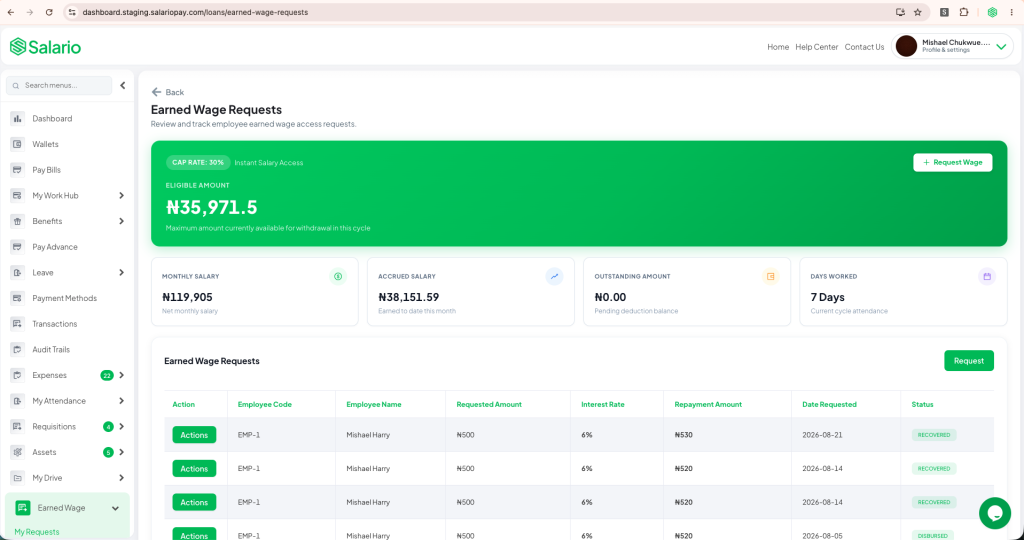
After the accrual and policy calculations are completed, the eligible amount appears in the employee’s self-service account.
A good employee EWA dashboard should show:
- Salary earned so far
- Amount currently available
- Employer access limit
- Previous withdrawals
- Pending requests
- Remaining available balance
- Expected impact on payday salary
- Request history
This transparency helps employees make informed decisions before requesting money.
It also reduces questions to HR because employees do not need to ask how much they can access or whether a previous withdrawal has been recorded.
6. The Employee Submits an EWA Request
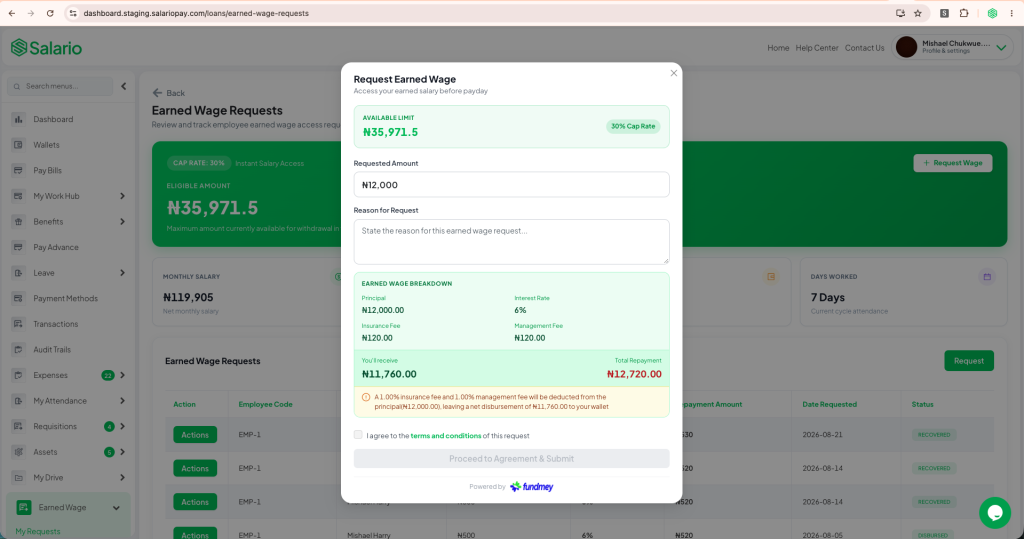
The employee selects an amount within the available limit and submits a request through the web or mobile application.
Depending on the employer’s policy, the request may be:
- Approved automatically when it meets all rules
- Sent to HR for approval
- Sent to Finance for approval
- Routed through multiple approval levels
- Rejected if it exceeds a policy limit
The system should check the employee’s eligibility again before processing the request. This helps prevent duplicate withdrawals or requests based on an outdated balance.
7. The Employee Receives the Money
Once approved, the requested amount is transferred to the employee’s designated bank account or wallet.
The money can be funded in two ways.
Employer-funded EWA
The employer provides the money before payday. This gives the business direct control but uses company working capital.
Third-party-funded EWA
The EWA provider or an integrated financial partner provides the early payment. The amount is later settled through the agreed payroll reconciliation process.
Salario supports externally financed withdrawals, helping employers offer EWA without using operational cash for every request.
Regardless of the funding method, the payment should be linked to the individual employee, payroll period and request record.
8. The Withdrawal Is Recorded in the Payroll Ledger
Immediately after payment, the EWA transaction should be written back to payroll.
The record should include:
- Employee
- Amount accessed
- Date requested
- Date paid
- Payroll period
- Approval information
- Funding source
- Transaction reference
- Applicable charges
- Current status
This record creates a reliable audit trail.
It also prevents the employee from accessing the same earned amount more than once because the available balance is updated after every successful withdrawal.
9. Payroll Is Reconciled on Payday
Payroll reconciliation is one of the most important parts of EWA integration.
When the company processes its regular payroll, the system calculates the employee’s total compensation and applicable payroll items according to the organisation’s normal rules.
The amount already received through EWA is then accounted for when determining what remains payable on payday.
For example, assume an employee’s final net salary for the month is ₦300,000.
During the month, the employee accessed ₦60,000 through EWA.
The remaining payday payment would be:
₦300,000 − ₦60,000 = ₦240,000
The employee has still received ₦300,000 in total:
- ₦60,000 before payday
- ₦240,000 on payday
EWA changes when part of the salary is received. It does not automatically change the employee’s agreed gross compensation.
Payroll teams should continue calculating statutory obligations and other payroll items according to applicable rules before reconciling the early amount against the employee’s final payable balance.
10. The Transaction Appears in Payroll Reports
After payroll is completed, administrators should be able to review:
- Total EWA disbursed
- Employees who used EWA
- Amount accessed by each employee
- Outstanding settlement amounts
- Final payday balances
- Reconciliation status
- Failed or reversed transactions
- Programme usage trends
The employee’s payslip or payroll statement should also make the final calculation understandable.
Clear reporting helps HR, Finance and employees distinguish between total earnings, early wages received and the amount paid on the normal payday.
How Salario Integrates Earned Wage Access With Payroll
Salario connects the entire EWA lifecycle to the employee’s payroll and workforce record.
The process includes:
- Employee salary and employment details are stored in Salario.
- Approved attendance or eligible working days determine accrued compensation.
- Salario calculates the employee’s earned wage balance.
- The company’s EWA policy determines the available amount.
- The employee views and requests an eligible amount.
- The approved amount is paid to the employee.
- The withdrawal is recorded against the employee’s payroll.
- Salario automatically updates the final payday calculation.
- HR and Finance can review the complete transaction history.
This creates one connected workflow:
Attendance → earned compensation → EWA availability → request → payout → payroll reconciliation
Employers can learn more by comparing the best earned wage access platforms in Nigeria.
How to Activate Earned Wage Access on Salario
Activating EWA on Salario takes three main steps:
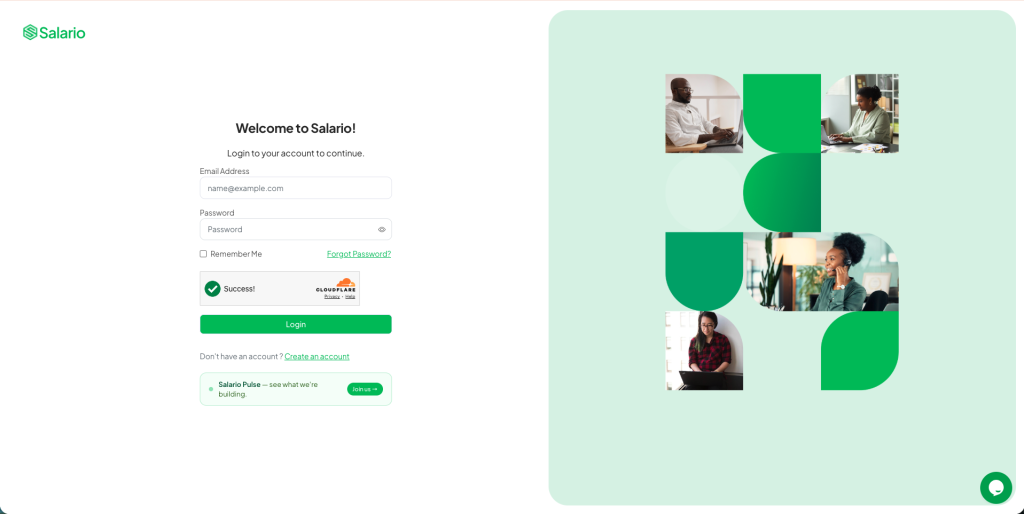
2. Select Earned Wage Access from the left-hand menu and open Policy.
3. Configure your company’s access limits, eligibility and approval rules.
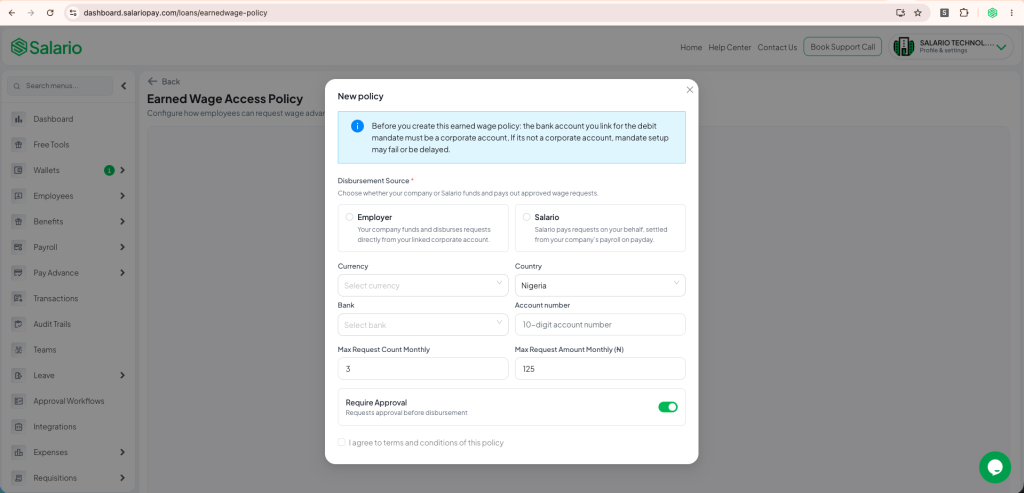
Once the policy is activated, eligible employees can be notified and begin requesting access to earned wages according to the company’s rules.
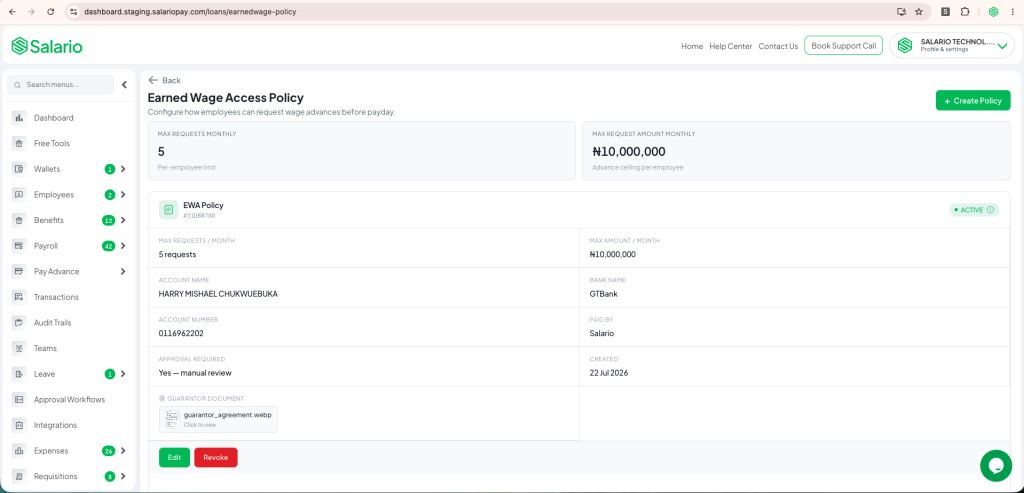
Your regular payroll schedule remains in place, while withdrawals are recorded and reconciled within Salario.
Conclusion
Understanding how earned wage access integrates with payroll is essential for implementing EWA without creating payroll errors or extra administrative work.
A complete integration connects employee information, attendance, accrued wages, company policies, requests, payouts and payday reconciliation.
Without this connection, HR and Finance teams may spend more time tracking requests, correcting balances and resolving disputes. With a payroll-native platform, the process becomes structured, transparent and easier to audit.
Salario brings EWA and payroll into one system. Employees receive flexible access to eligible earned wages, while employers retain control over limits, approvals, payroll calculations and reporting.
Book an Earned Wage Access demo with Salario and give employees more flexibility without changing your normal payroll schedule.