
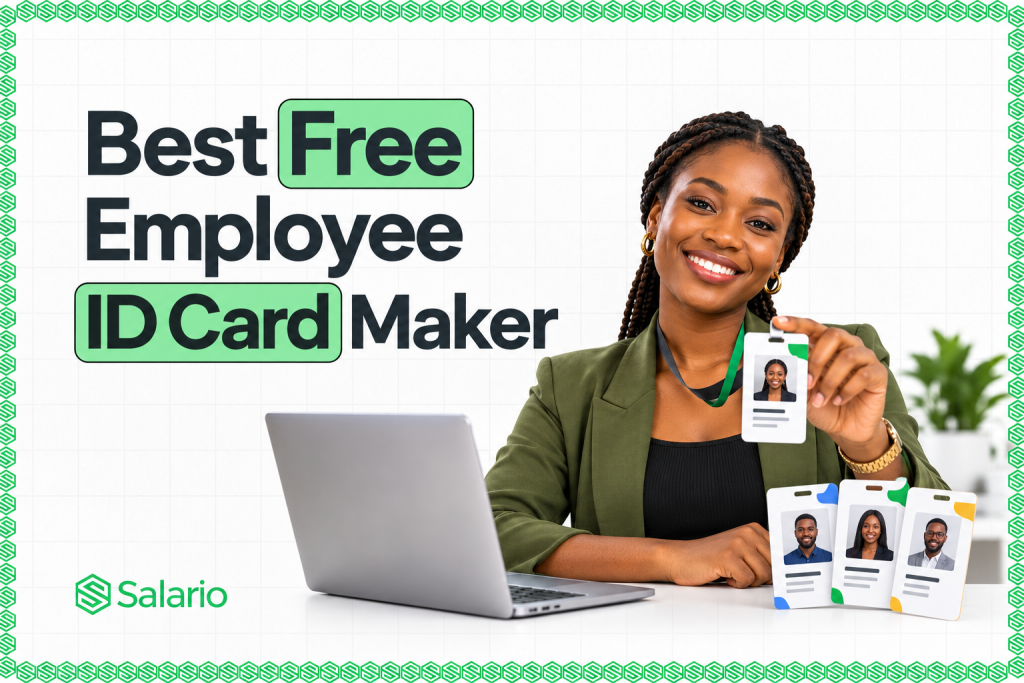
The best free employee ID card maker should help you create a professional staff card without hiring a designer or rebuilding the layout for every employee. It should let you add an employee’s photo, name, role, department, ID number, and company logo, then download a clear file that is ready to print.
For a growing company, creating one attractive card is only half the job. HR may need to issue cards to 20, 100, or 500 employees. If every card has to be duplicated and edited manually, a simple design task becomes hours of repetitive work.
That is why Salario is our number-one choice. Its free employee ID card generator supports both individual cards and bulk creation from an Excel or CSV employee list. It also provides ready-made templates, front-and-back layouts, QR codes, barcodes, company branding, and high-resolution downloads without requiring an account.
Other tools remain useful for specific needs. Canva and Adobe Express offer broad creative control, Connecteam is convenient for a quick one-off PNG, and IDCreator connects badge design with optional physical PVC-card ordering.
The 5 Best Free Employee ID Card Makers
- Salario — best overall for single and bulk employee ID cards
- Canva — best for creative freedom and visual customisation
- Adobe Express — best for a large employee ID template library
- Connecteam — best for making a simple employee card quickly
- IDCreator — best for designing cards you may order as PVC badges
This ranking reflects the publicly available product pages reviewed in October 2026. Features, free limits, and premium restrictions can change, so confirm the current terms before processing real employee information.
What Makes a Good Free Employee ID Card Maker?
We assessed each tool using the work an HR or operations team actually needs to complete:
- Structured employee details: Clear fields for names, photographs, staff numbers, roles, and departments reduce manual design work.
- Company branding: A good tool should accept a company logo and colours so every card is recognisable and consistent.
- Bulk generation: Excel or CSV upload is valuable when HR needs to create several cards from one approved template.
- Verification options: QR codes and barcodes can connect the card to an employee profile, verification URL, or staff number.
- Print-ready downloads: Useful formats include PDF, PNG, and JPG. Front-and-back export is helpful when the reverse contains a signature or return instructions.
- A practical free plan: Some tools are fully free, some mix free and premium assets, and others make design free but charge for physical printing.
1. Salario: Best Overall Free Employee ID Card Maker
Best for: Nigerian and African businesses that want to create one staff card or generate cards for an entire team from a spreadsheet.
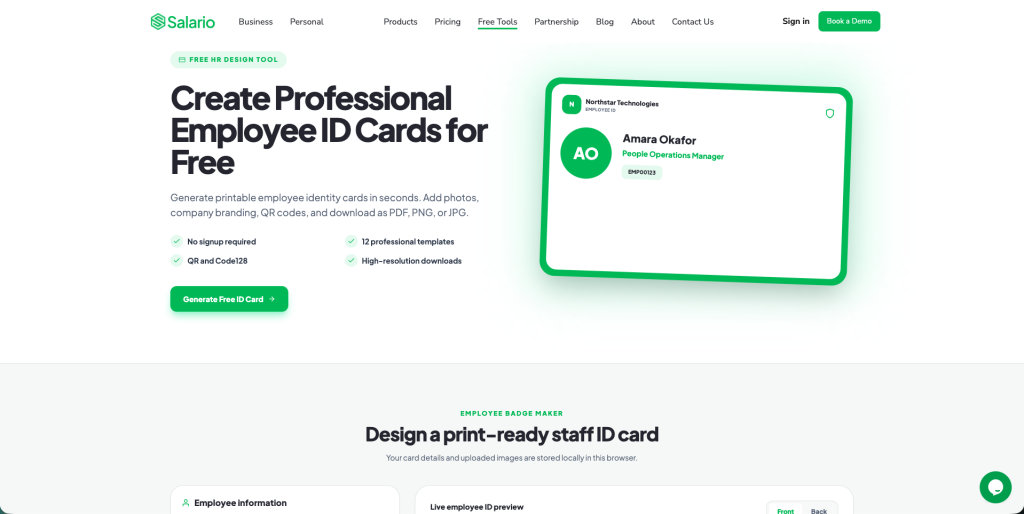
Salario’s free employee ID card generator ranks first because it combines a straightforward individual-card maker with a practical bulk workflow. You can create a card in the browser, choose a ready-made design, and download the result without opening an account.
For one employee, the form supports:
- Full name, employee ID, job title, and department
- Email address, phone number, and date joined
- Blood group and emergency contact where appropriate
- Employee photo, company logo, and authorised signature
- Company name, address, and website
You can choose from 12 professional templates, adjust the colours to fit your brand, and add a QR code or Code 128 barcode. A QR code can contain a verification URL, employee profile, employee number, or company website.
Salario supports high-resolution PDF, PNG, and JPG downloads. A single employee’s file can contain the front and back of the card using the standard employee badge aspect ratio.
Salario’s biggest advantage: bulk card generation
Instead of editing every card separately, HR can:
- Download the sample employee spreadsheet
- Add one employee per row
- Include fields such as name, employee ID, department, role, email, and photo URL
- Upload the Excel or CSV file
- Apply an approved template
- Generate a multi-page PDF containing the employee cards
The template is designed once, while Salario changes the employee data for each row. This can save hours and helps every card follow the same layout.
Salario also states that card details and uploaded images are stored locally in the browser. Employers should still use a company-controlled device, limit access to employee data, and store exported files in a restricted folder.
Salario’s main advantages
- Free with no signup required
- Creates both individual and bulk cards
- Imports employee data from Excel or CSV
- Includes 12 professional templates
- Supports photos, logos, signatures, QR codes, and barcodes
- Exports front-and-back cards as PDF, PNG, or JPG
- Creates a multi-page PDF for a bulk run
Points to consider
Bulk output is only as accurate as the source spreadsheet. Standardise employee names, staff numbers, roles, departments, and photo links before uploading. Generate a small test batch and inspect its spelling, images, codes, and margins before printing the complete set.
Verdict: Salario is the best free employee ID card maker for most growing businesses because it removes repetitive work from both single and bulk card creation.
2. Canva: Best for Creative Freedom
Best for: Teams that want strong visual control and are comfortable editing a design manually.
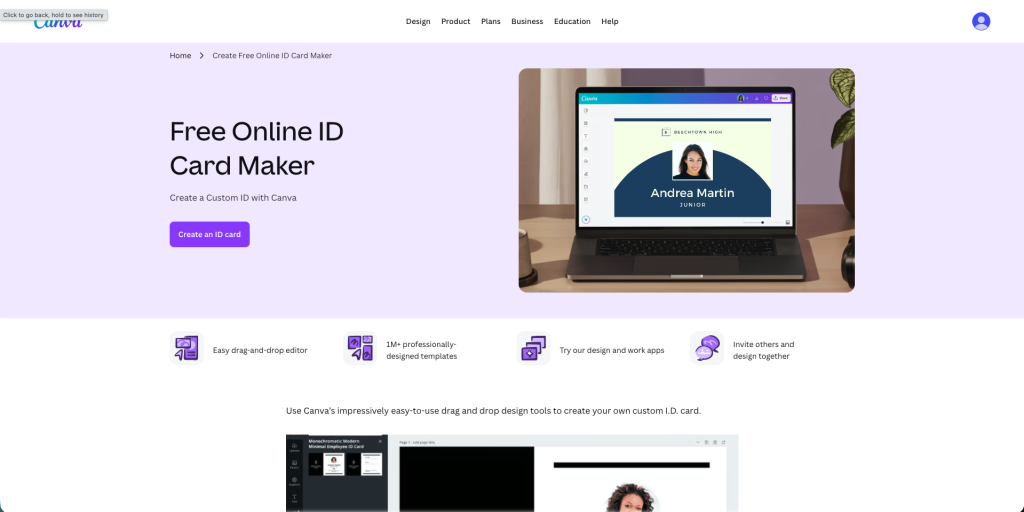
Canva’s free online ID card maker offers a drag-and-drop editor and a large library of professionally designed templates. You can choose a landscape or portrait layout, upload an employee photo and company logo, enter brand colour codes, and reposition almost every element.
Canva is a strong option when appearance is the priority. It gives a designer or brand-conscious founder more freedom to experiment with fonts, icons, shapes, backgrounds, and layouts than a structured form does.
The trade-off is workflow. Canva’s ID-card page focuses on selecting and editing a visual template. Duplicating the page and replacing details may be manageable for a few employees, but HR should confirm whether the bulk-creation feature it needs is available on its current plan.
Canva also mixes free and premium content. A template may be free while a particular graphic, photo, background-removal tool, or brand feature requires an upgrade.
Main advantages: Easy editing, strong visual control, numerous templates, and support for uploaded photos and logos.
Points to consider: Manual edits can become slow at scale, some assets are premium, and the final dimensions should be checked before printing.
Verdict: Canva is excellent for a highly customised card, while Salario is more direct when you need to turn a staff spreadsheet into several consistent cards.
3. Adobe Express: Best for Employee ID Templates
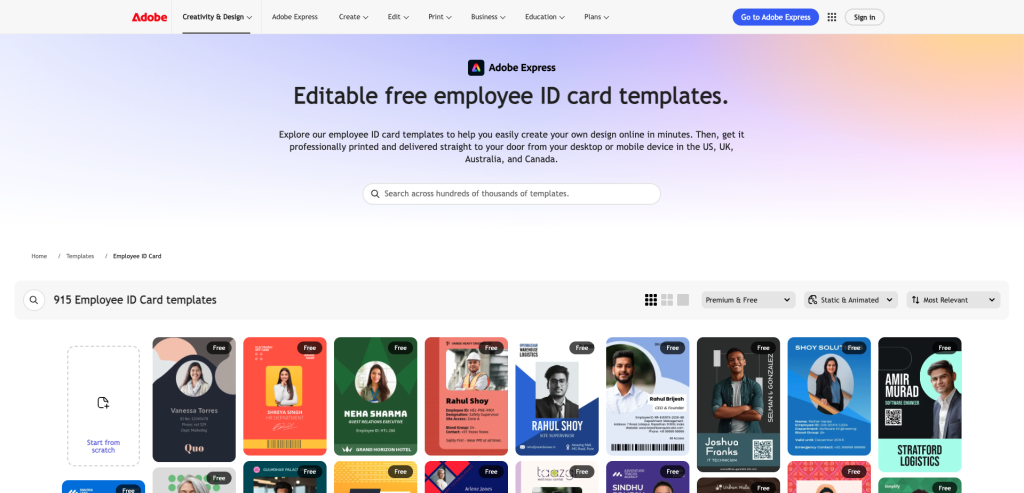
Best for: Users who want a large selection of polished templates and a familiar creative editor.
Adobe Express employee ID card templates provide hundreds of employee and staff ID layouts. You can begin with a template or blank design, then add a logo, photograph, contact information, colours, and other brand elements.
Adobe Express is helpful when you want inspiration before deciding on the final style. Its templates cover corporate, retail, hospitality, education, technology, and other settings. The editor works on desktop and mobile, and the template page includes a free-design filter.
Like Canva, Adobe Express is a general design platform. Its employee ID page emphasises template selection and editing rather than a dedicated, free Excel-to-multi-page-card workflow. It also offers both free and premium templates, so check that every element in the finished design is available on your plan.
Main advantages: Hundreds of templates, strong design controls, free starting options, and desktop or mobile access.
Points to consider: Some assets are premium. Adobe’s physical print delivery is available only in selected countries, so Nigerian businesses will generally need a local printer.
Verdict: Adobe Express is a good choice for visual variety; Salario remains better suited to repeatable employee-card generation.
4. Connecteam: Best for a Quick One-Off Card
Best for: A small business that wants to make one straightforward employee card and save it as an image.
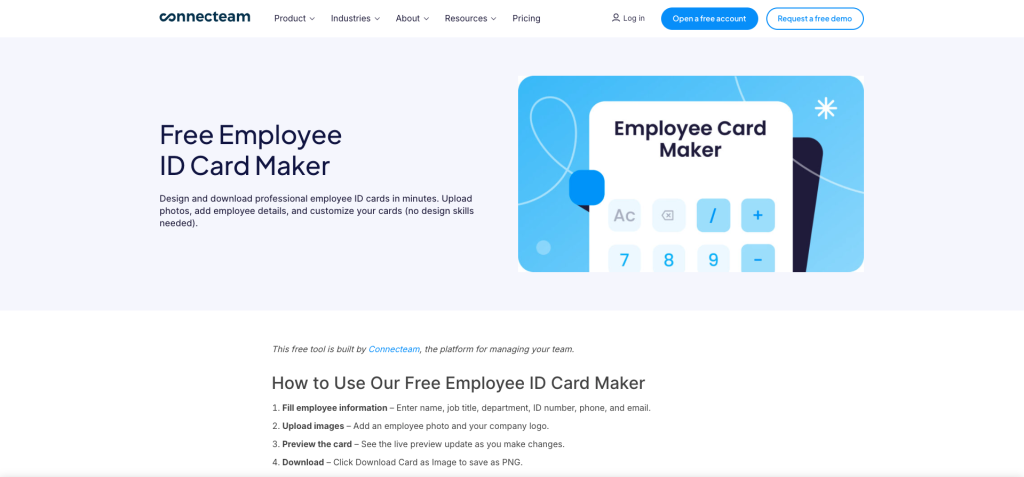
Connecteam’s free employee ID card maker uses a simple form. Enter the employee’s name, job title, department, ID number, phone number, and email address, then upload a photo and company logo. A live preview updates as the information changes.
The finished card downloads as a high-resolution PNG. Connecteam says the standalone maker is completely free, and its focused form is approachable for someone who does not need a complex design editor.
The limitation is scale. The public generator is built around one employee and one image download. It does not show a dedicated Excel or CSV import for creating a batch of printable cards. Connecteam separately offers app-based digital IDs, but those features have their own account and plan conditions.
Main advantages: Simple form, live preview, employee photo and logo uploads, optional fields, and free PNG download.
Points to consider: It is mainly a one-card workflow, offers limited layout choice, and does not show bulk generation in the free maker.
Verdict: Connecteam is useful when you need a basic card quickly. For several employees, spreadsheet-based generation will save more time.
5. IDCreator: Best for a PVC Card Ordering Workflow
Best for: Organisations that want to design staff badges online and may order professionally printed PVC cards.
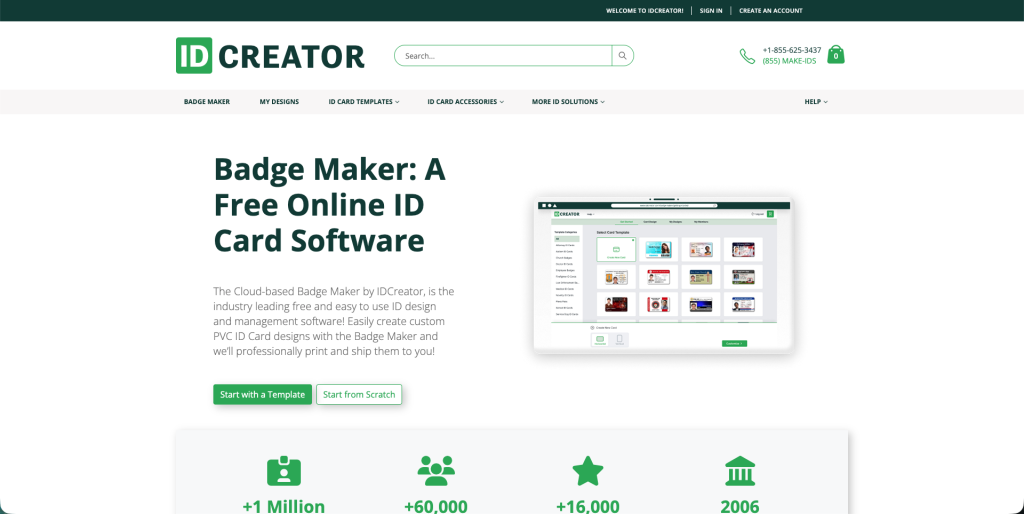
IDCreator’s Badge Maker is a cloud-based ID design and management tool. It offers more than 200 customisable templates, supports photos and security features, and allows member information to be added individually or in bulk.
Smart fields can pull uploaded member details into a template, and bulk uploads can create a profile for each person. This makes IDCreator more scalable than a purely one-card design page.
However, its workflow is closely connected to IDCreator’s paid printing and shipping service. The design software is presented as free, but physical PVC cards cost money. The company advertises free shipping specifically for qualifying domestic orders, so Nigerian employers should confirm international delivery, customs, timing, and total cost.
Main advantages: More than 200 templates, bulk member data, smart fields, and professional PVC-card fulfilment.
Points to consider: Printing is paid, an account is part of the workflow, and international delivery may add cost and delay.
Verdict: IDCreator is worth considering when professional PVC fulfilment is the priority. Salario is more practical for a free browser-based workflow and local printing.
How to Choose the Right Employee ID Card Maker
Choose Salario for the best overall balance of structured fields, templates, QR codes, front-and-back downloads, and bulk creation from Excel or CSV.
Choose Canva for maximum creative control, Adobe Express for template variety, Connecteam for a simple one-off PNG, or IDCreator if you are exploring a combined design and PVC-printing service.
Before deciding, confirm that the tool can produce the number of cards you need, supports the right download format and dimensions, covers the front and back, and keeps employee information appropriately protected. Also ask your local printer which PDF or image specifications it accepts.
What Should an Employee ID Card Contain?
A practical employee card normally contains:
- Company name and logo
- Employee’s clear photograph
- Full name and staff number
- Job title and department
- Issue or expiry date where applicable
- QR code or barcode if the company has a genuine verification use for it
The reverse may include the company’s address, authorised signature, emergency instructions, or a return-if-found notice. Avoid adding sensitive details simply because there is available space. Personal phone numbers, home addresses, and medical information should appear only when there is a clear operational reason and an approved data policy.
A Better Bulk ID Card Workflow
- Assign every employee a unique staff number.
- Standardise names, job titles, and departments in the spreadsheet.
- Collect clear, consistently cropped photographs.
- Approve one logo, colour palette, and template.
- Upload a small test batch first.
- Check spelling, photos, codes, and front-and-back alignment.
- Generate the complete file and print one physical sample.
- Store the source data and final cards in a restricted company folder.
- Document how lost, expired, or former-employee cards will be invalidated.
Final Verdict
The best free employee ID card maker for most growing businesses is Salario. Canva and Adobe Express are excellent design platforms, Connecteam works well for a fast individual card, and IDCreator suits businesses considering printed PVC badges. Salario ranks first because it combines single-card creation, Excel or CSV bulk generation, professional templates, company branding, photos, QR codes, barcodes, front-and-back layouts, and print-ready downloads in one focused tool.
If your employee list already lives in a spreadsheet, you do not need to update every card manually. Create employee ID cards free with Salario, upload your Excel or CSV file, choose a template, and generate a consistent set of staff cards for review and printing.