

Ngozi runs a 25-person logistics company in Ikeja. Last month, two staff members named Chinedu Okafor joined within a week. Payroll paid one of them twice. The other waited until Friday for his salary. Both looked identical in her spreadsheet because neither had an employee code.
This is why you should generate employee code for every hire on day one. An employee code gives each person one unique reference that never changes. It keeps payroll, pension, and tax records clean. In this guide, you will learn what an employee code is, how to build a format that lasts, and how to generate employee code for free in under two minutes.
What Is an Employee Code and Why Does Your Business Need One?
An employee code is a short, unique number or alphanumeric string assigned to one staff member. Think of it as a staff account number. Names repeat. Phone numbers change. Job titles shift after a promotion. The employee code stays the same from the first day to the last.
You will see it on payslips, attendance logs, leave records, and ID cards. When HR, payroll, and the finance team all use the same code, they stop guessing who is who. A query like “Did we pay Chinedu?” becomes “Did we pay EMP-0042?” That second question has only one answer.
For Nigerian employers, the stakes are higher than tidiness. You must keep payroll records for at least six years. You remit PAYE, pension, NHF, and NSITF per employee. If two people share a name, or one person appears twice under different spellings, your remittance files will not match your payroll. Auditors notice. So do pension administrators.
An employee code also helps you fight ghost workers. A ghost worker is a name on payroll with no real person behind it. When every active employee has one code, tied to one record, one bank account, and one ID card, padding the list gets much harder. Anyone reviewing payroll can match codes against attendance and headcount in minutes.
What a Good Employee Code Format Looks Like
Before you generate employee code values, decide on a format. Pick it once and keep it. Changing formats later means rewriting records, and that is painful.
A good format is short, readable, and predictable. Most Nigerian SMEs do well with three parts: a company prefix, an optional department or location marker, and a running number. Here are a few examples.
- EMP-0001: The simplest option. Works well for teams under 100 people.
- SAL-LOS-0015: Company prefix, Lagos office, then the 15th hire at that office. Good for firms with several branches.
- 2026-0042: Hire year plus running number. Useful when you hire in batches.
Keep a few rules in mind. Use leading zeros so codes sort properly. Without them, EMP-10 appears before EMP-2 in a spreadsheet. Avoid personal details such as date of birth or phone number inside the code. Those are private and they change. Avoid letters that look alike, such as O and 0, or I and 1. A payroll officer reading a printed list at 4pm on the 25th should never have to squint.
Never reuse a code. When someone resigns, retire their code permanently. If you give EMP-0042 to a new hire, old records and new records will blur together. That defeats the whole point.
Three Ways to Generate Employee Code
You have three realistic options. Each has a place, depending on your size.
Spreadsheets. Many small teams start here. You add a column, type the next number, and move on. It costs nothing, but it breaks quickly. Someone deletes a row. Two managers add hires on different copies of the file. A typo creates a duplicate. By the time you reach 30 staff, you are checking codes by hand.
Full HR or payroll software. Most payroll platforms assign an employee code automatically when you add a staff member. If you are weighing options, our comparison of Salario vs Tyms shows how two Nigerian payroll tools handle records and compliance. This route is best when you already run payroll through software and want everything in one place.
A free employee ID generator. If you only need codes and cards right now, a free online generator is the fastest route. You enter names, choose a format, and get a clean list in seconds. There is no software to install and no account to set up. For a business that has outgrown spreadsheets but is not ready for a full platform, this is the sensible middle step.
How to Generate Employee Code for Free with Salario
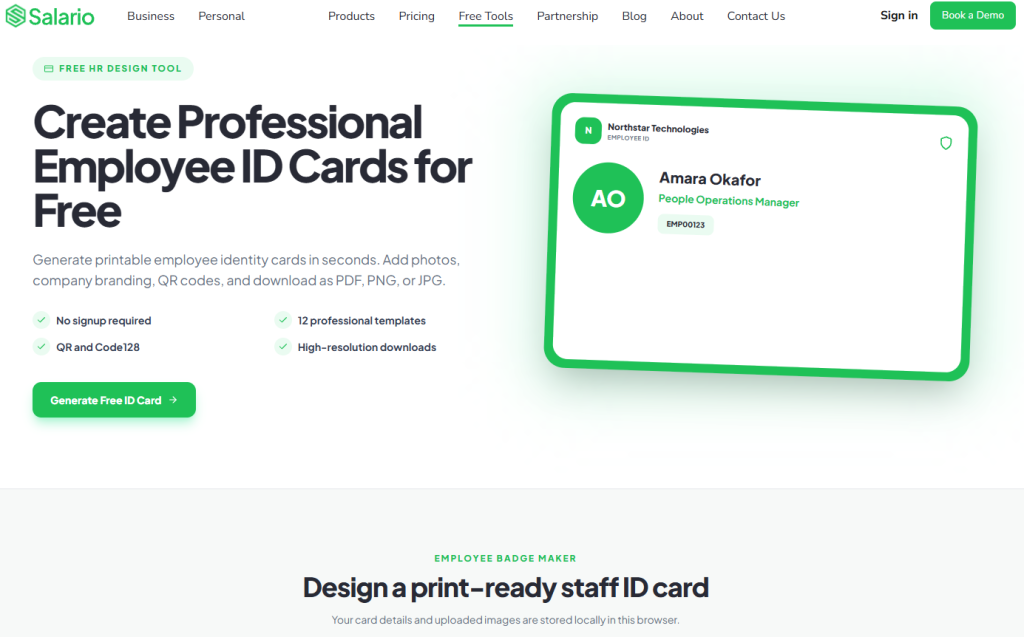
Salario’s free employee ID generator takes the guesswork out of the process. You do not need design skills or an HR system. Here is how it works.
Step 1: Open the tool. Go to the free employee ID generator. No payment is needed.
Step 2: Enter your employee details. Add the staff member’s name, job title, and department. You can add your company name and logo at this stage too.
Step 3: Choose your employee code format. Set your prefix and starting number. For example, use EMP and start at 0001. The tool builds each code in the same pattern, so you never create duplicates by accident.
Step 4: Generate Employee ID. Click generate and review the result. Each person gets a unique employee code, ready to copy into your payroll file, your attendance sheet, or your records.
Step 5: Save the codes. Store them in one master list. Treat that list as the single source of truth. Every new hire gets the next code on the list and nobody edits old ones.
The whole process takes about two minutes for a small team.
Turn the Employee Code Into an Employee ID Card
A code on a spreadsheet helps HR. A code on a card helps everyone.
When you generate employee ID cards from the same tool, the employee code prints directly on the card, next to the photo, name, and role. A security guard in your Victoria Island office can confirm who someone is in seconds. A delivery rider can show proof of employment at a client’s gate. A new hire feels part of the team from week one.
The Employee ID Card from Salario pulls the details you already entered, so you are not retyping anything. You upload a photo, add your logo, and the card is ready to print or share. Because the card carries the same employee code as your payroll record, your physical identity and your payroll identity stay linked.
This matters for field teams, retail staff, and any business where people work off-site. A printed ID card with a visible employee code builds trust with clients. It also helps you reclaim access when someone leaves. You collect the card, retire the code, and update the record.
Use a front-facing photo with a plain background, and check every name before you print. A typo on 50 cards is an expensive lesson.
Common Employee Code Mistakes to Avoid
Most problems with employee codes come from rushing the setup. Watch for these.
Using names or initials as the code. Two Chinedu Okafors will give you the same initials, and you are back where you started.
Changing codes after a promotion or transfer. The code identifies the person, not the role. If Amina moves from Abuja to Lagos, her code stays the same. Only her location field changes.
Letting several people create codes. One person, usually HR, should own the master list. Shared ownership leads to duplicates.
Skipping codes for contractors and interns. They may not be on payroll, but they still get paid, sign agreements, and access your systems. Give them codes too, perhaps with a different prefix such as CON. When you onboard them, pair the code with a proper agreement. Our guide to non-disclosure agreements in Nigeria covers what to include.
Not linking the code to payroll. A code that lives only in an HR file does little work. Use it on every payslip, every pension schedule, and every remittance sheet. If you want a clean payslip that shows the code clearly, see how to create a professional payslip in minutes.
Generate Your Employee Code Today
An employee code is a small detail that prevents big headaches. It stops duplicate payments, keeps your PAYE and pension filings accurate, and makes ghost workers easier to spot. It also gives every staff member a clear identity at work, from payslip to ID card.
You do not need expensive software to start. You need a clear format, one master list, and a tool that builds codes without errors. Salario gives you that for free.
Ready to bring order to your staff records? Generate your employee’s ID for free with Salario’s free employee ID generator. Create your employee code, add it to a professional ID card, and give your team an identity they can carry with pride.