
The best payslip generators for employees in Nigeria should do more than save you from building salary statements manually in Microsoft Word or Excel. They should fit the way Nigerian employers calculate, create, deliver, and retain employee payslips.
Some generators are designed for one employee and one pay period. You enter the employee’s details, add earnings and deductions, and download a PDF. That can be perfectly adequate for a very small business or an urgent correction.
The limitation becomes obvious as the team grows. If you employ 20, 50, or 200 people, creating every payslip separately means repeating the same work, increasing the chance of errors, and leaving HR with a folder full of disconnected files. The problem is no longer simply how to design a payslip. It is how to generate several accurate payslips, deliver them privately, and find each employee’s record later.
For most Nigerian employers, Salario’s free professional payslip generator is the best overall choice. It supports both single and bulk payslip creation, includes fields and calculations designed for Nigerian payroll, and helps the employer keep track of employee payslips instead of treating each document as an isolated download.
Other tools in this comparison can still be useful. StaffPay provides a detailed Nigerian one-off payslip format. SmoothLedger offers attractive templates and saved individual-payslip history after sign-in. Paysliper is flexible when you want to rename fields. HRMWare provides a simple general-purpose document. Sage is relevant to businesses already operating inside the Sage payroll ecosystem.
This guide compares their features, strengths, limitations, and best use cases so that you can choose the right payslip generator for your business.
The Quick Answer
The six best payslip generators for employees in Nigeria are:
- Salario — best overall for single payslips, bulk creation, Nigerian payroll calculations, delivery, and employee payslip tracking
- StaffPay — best for creating a detailed Nigerian payslip for one employee at a time
- SmoothLedger — best for visual customisation, reusable employee details, and saved individual payslips
- Paysliper — best for changing field names and producing a flexible one-off payslip
- HRMWare — best for a simple general-purpose payslip when you already know the correct figures
- Sage — best for businesses already using Sage payroll and needing compatible printed payslip stationery
Salario ranks first because it covers more of the real payroll workflow. You can create one payslip when necessary, switch to a bulk CSV-based process for a team, email or download the documents, and keep track of the payslips connected to your employee records.
Most standalone free generators are built around one form and one document. Some competitors offer saved history after sign-in or inside a separate paid payroll product, but the free page itself remains single-payslip-first. Salario makes both the single and bulk workflows available from the same generator.
This comparison reflects the publicly visible pages reviewed in October 2026. Product features, free limits, sign-in requirements, and plan availability can change. Test the current workflow with fictional data before using any tool for live payroll.
How We Evaluated the Tools
We compared the generators using the questions a Nigerian employer, HR manager, accountant, or payroll consultant is likely to ask during a real monthly payroll cycle.
1. Can it create one payslip and several payslips?
A single-payslip form is useful for a microbusiness, a new hire, or a corrected salary statement. A growing company also needs a way to generate multiple payslips without typing the same employer details repeatedly.
Bulk creation received more weight because it reduces repetitive work and makes payroll easier to review as a complete run.
2. Does it fit Nigerian payroll?
The tool should work naturally with naira and allow Nigerian employers to show common earnings and deductions clearly. Relevant items may include basic salary, housing allowance, transport allowance, bonus, commission, reimbursements, PAYE, employee pension, NHF, loans, and other authorised deductions.
A generic document can still be adapted, but a Nigeria-focused workflow reduces avoidable manual work.
3. Does it calculate or merely format?
This distinction is important. Some tools help calculate the payroll figures. Others only add the numbers you enter and present them in a professional layout.
A beautiful PDF can still contain the wrong PAYE, pension, salary, or deduction. Employers should know which figures the generator calculates automatically and which must be supplied from an approved payroll register.
4. Can the employer find old payslips?
Downloading a PDF solves today’s task. It does not automatically create a reliable payroll record.
We looked for employee profiles, saved payslips, cloud history, and structured records. These features become important when an employee asks for a six-month-old payslip, when HR corrects a document, or when Finance needs evidence supporting a payroll report.
5. Can the payslip be delivered privately?
Payslips contain confidential salary and personal information. A useful system should support controlled downloads, individual email delivery, or secure employee access. Employers should avoid group emails and unrestricted shared folders.
6. Can the workflow grow with the business?
The right tool for three employees may become a burden at 30 employees. We considered whether the generator supports a sensible path from one-off creation to repeatable bulk processing and record-keeping.
1. Salario: Best Overall for Single and Bulk Payslips
Best for: Nigerian employers that want one tool for individual payslips, bulk payroll runs, and an organised employee payslip record.
Salario’s official payslip generator takes the top position because it addresses both sides of payslip creation:
- The immediate need to create a professional payslip
- The ongoing need to process payslips for a team and keep track of them
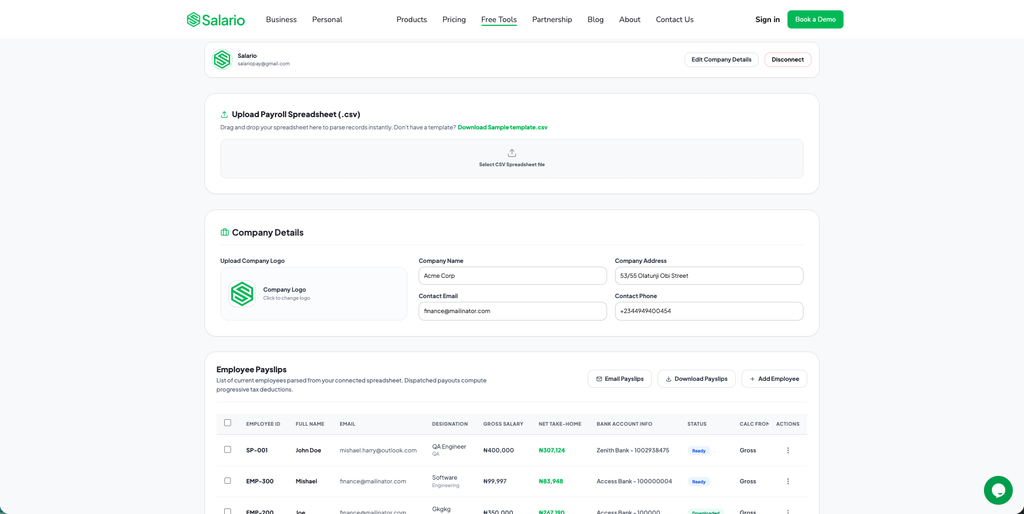
The generator presents two clear options: Single Employee Payslip and Bulk Employees Payslip. This means a business can prepare one corrected payslip without setting up a spreadsheet, then use the bulk workflow for the complete monthly run.
Salario’s single employee workflow
For one employee, the employer can start from either:
- An approved gross salary; or
- A target net take-home amount
That flexibility is useful because Nigerian employment offers are not always described in the same way. Some contracts state gross monthly pay. Others are negotiated around an expected take-home amount. The calculation still needs professional review, but the generator accommodates both starting points.
The form also allows the employer to add:
- Basic, housing, and transport salary splits
- Reimbursements
- Pension information and an authorised override where applicable
- NHF and health-insurance information
- Monthly rent information for applicable relief treatment
- Other authorised deductions
- Special payroll treatments, including the relevant consultant withholding option
- Company name, address, contact information, and logo
- Employee name, ID, designation, department, and email
- Bank name and account details where required
- Pay period
When the document is ready, it can be exported as a PDF or emailed to the employee.
Salario’s bulk employee workflow
For several employees, the employer switches to Bulk Employees Payslip and uses a structured spreadsheet process.
The workflow allows the payroll administrator to:
- Download the sample CSV template
- Add one employee per row
- Upload the completed payroll file
- Review the imported employee payslip records
- Add or correct an employee where necessary
- Download the payslips
- Email the payslips to employees
This is a major advantage over a form that must be completed repeatedly. If creating one payslip manually takes only four minutes, 50 documents can consume more than three hours before review, corrections, file naming, and delivery. A bulk workflow removes much of that repetition.
Employee payslip tracking
Salario does not have to stop at the PDF. Payslips remain connected to employee payroll records, making it easier to see what was issued and retrieve previous documents.
That creates a more complete process:
Employee record → payroll data → payslip generation → delivery → payslip history
This is especially valuable when employees regularly ask HR for older payslips. Instead of searching email attachments or folders named “final”, “final corrected”, and “final v2”, the employer has a clearer record for each person.
Why Salario ranks first
Salario’s key advantage is not just the number of fields in the form. It is the combination of capabilities:
- Single payslip creation
- CSV-based bulk payslip creation
- Nigerian payroll fields and 2026 progressive tax handling
- Gross-to-net and net-to-gross starting points
- Employer branding
- PDF download
- Individual email delivery
- Employee-level payslip tracking
- A path into a broader payroll, approval, reporting, and disbursement workflow
Most free generator pages solve one document at a time. Some competing payroll platforms provide history after the employer creates an account, but their free generator page does not expose the same end-to-end single-and-bulk experience.
Points to consider
- A generator cannot know whether the salary, classification, relief, or deduction supplied by the employer was approved.
- The employer should review the full payroll before sending any document.
- Bulk features require an account connection. Use a company-controlled account with access limited to authorised payroll staff.
- Employee bank, tax, and salary data should never be tested with an unapproved personal account.
Who should choose Salario?
Choose Salario if:
- You need one payslip today but expect to process several later
- You already have payroll data in a spreadsheet
- You want to avoid creating every employee’s document separately
- You need Nigerian payroll fields rather than an India-focused or generic template
- Employees frequently request previous payslips
- You want payslip generation connected to employee records
- Your business may later need payroll approvals, reports, and salary disbursement
Verdict: Salario is the best payslip generator for employees in Nigeria because it combines the convenience of a free individual generator with the operational benefits of bulk creation and employee payslip tracking.
2. StaffPay: Best for a Detailed One-Off Nigerian Payslip
Best for: A Nigerian employer that wants to prepare a detailed payslip for one employee and already knows the approved payroll figures.
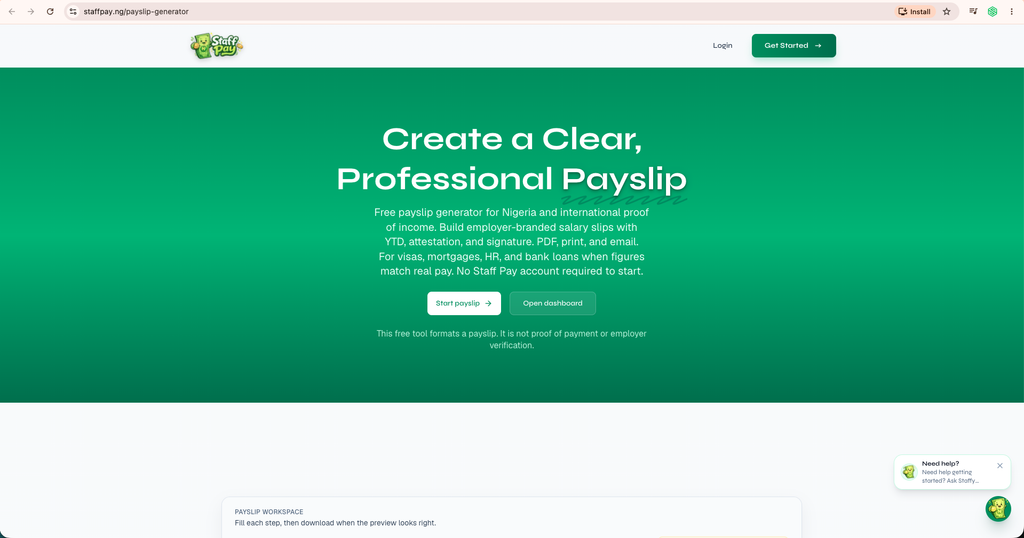
StaffPay’s free payslip generator is designed specifically for Nigeria. Its sample structure includes employee and employment details, bank information, pay period, salary frequency, earnings, deductions, totals, and an optional employer sign-off.
The earnings and deductions shown on the page include familiar Nigerian items such as:
- Basic salary
- Housing allowance
- Transport allowance
- Employee pension
- NHF
- PAYE
- Other additions and deductions
The generator also allows optional year-to-date information, which can help an employee understand cumulative earnings and deductions where the employer maintains accurate year-to-date records.
What StaffPay does well
StaffPay’s greatest strength is local relevance. A Nigerian employer does not have to rename Indian payroll fields or mentally convert a template designed around another tax system.
The layout also captures useful employment details, including role, employee ID, employment information, and pay frequency. This makes the resulting payslip more informative than a minimal document containing only a name, gross amount, and net pay.
The free page allows the user to build and preview the document without creating an account. An email address is requested when the user wants to download, print, or email the final output.
What StaffPay does not do on the free page
StaffPay is clear that the free tool formats the payroll data supplied by the user. It does not automatically verify or calculate every statutory payroll obligation for the employer.
That means the employer must supply accurate figures. The tool cannot determine whether:
- PAYE was calculated with the correct 2026 treatment
- The pension base is correct
- A deduction was legally or contractually authorised
- Net pay agrees with the approved payroll
- Salary was actually paid
The reviewed free generator is also a single-payslip workflow. It does not show the same dedicated CSV upload for creating a full employee batch.
StaffPay’s wider account-based product can save company and employee details, issue payslips from payroll runs, retain issued history, and provide more download or delivery options. That is different from the standalone free generator experience and should be evaluated separately.
Main advantages
- Built for Nigerian employers
- Includes common Nigerian earning and deduction labels
- Produces a detailed employee document
- Preview is available before output
- Optional year-to-date and employer attestation sections
- No account is required to begin building the payslip
Limitations
- The free generator is designed around one employee at a time
- Statutory figures must be checked independently
- An email address is required at the output stage
- Organised employee history belongs to the wider account experience, not the simple free form
Who should choose StaffPay?
Choose StaffPay if you need a detailed Nigerian payslip for one employee, already have approved salary and deduction figures, and do not require a spreadsheet-based bulk workflow.
Verdict: StaffPay is one of the strongest Nigerian alternatives for a single payslip. Salario remains the better all-round option for employers that need single creation, bulk processing, and employee payslip tracking together.
3. SmoothLedger: Best for Design Customisation and Saved Individual Payslips
Best for: Small businesses and consultants that value visual control, reusable employee information, and a saved history of individually created documents.
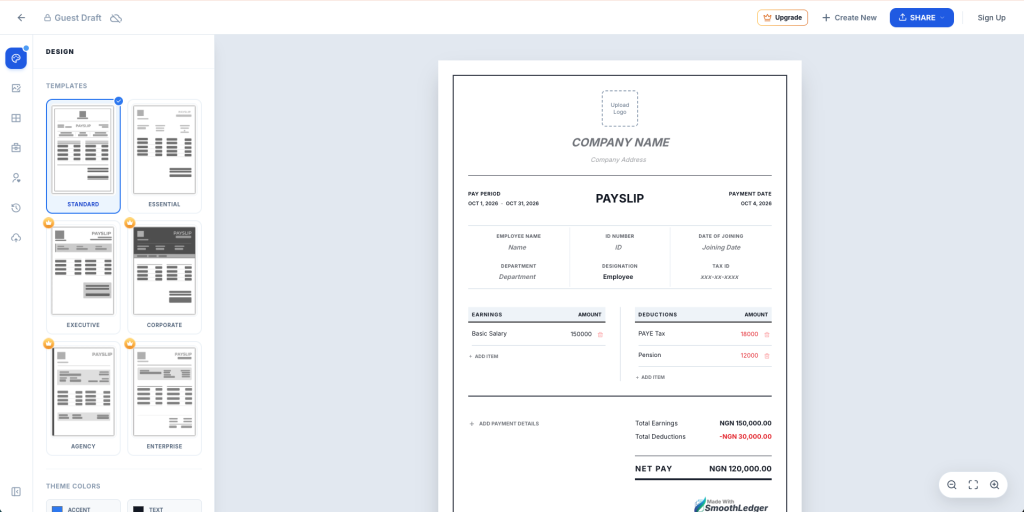
SmoothLedger’s Nigerian payslip template opens inside a design-oriented “Payslip Generator Studio”. Users can choose among several layouts, including Standard, Essential, Executive, Corporate, Agency, and Enterprise styles.
The editor also provides controls for colours, fonts, and text size. This makes SmoothLedger appealing when the document’s presentation and brand style are major priorities.
What SmoothLedger does well
The Nigeria template uses naira and includes common fields such as PAYE tax and pension. The user can add company details, employee information, earnings, and deductions, then see how they appear in the selected template.
After signing in, SmoothLedger also provides:
- A cloud employee directory
- Saved employee information, including tax IDs and departments
- Cloud history for previous payslips
- The ability to edit or duplicate past documents
This is more useful than starting from an empty form every month. For a stable, small payroll, duplicating a previous payslip and updating the pay period and variable items can save time.
Where SmoothLedger differs from Salario
SmoothLedger’s reviewed generator is primarily an individual document studio. We did not find a clearly presented CSV bulk-upload workflow on that page.
That makes it a good choice for someone who wants to customise and save individual payslips, but a less direct choice for an employer that needs to import a full payroll register and generate many documents at once.
The guest draft also displays SmoothLedger branding. Removing the watermark is presented as an upgrade option, so employers should check the current plan before promising a fully white-labelled document.
Main advantages
- Multiple professional templates
- Strong control over colour and typography
- Nigeria-specific template and naira support
- Employee directory after sign-in
- Cloud history after sign-in
- Previous payslips can be edited or duplicated
Limitations
- No dedicated bulk CSV workflow was visible on the reviewed generator page
- Some useful record features require sign-in
- Guest or free output may include a watermark
- Payroll figures still need employer verification
Who should choose SmoothLedger?
Choose SmoothLedger if your payroll is small, you create payslips individually, brand presentation is important, and you want to reuse employee data or duplicate a previous document.
Verdict: SmoothLedger is a capable saved individual-payslip workflow with good design controls. Salario is better suited to employers that want single and bulk creation in the same Nigerian payroll tool.
4. Paysliper: Best for Flexible Custom Fields
Best for: A business that needs a simple one-off payslip and wants to rename headings or adapt the document to its own terminology.
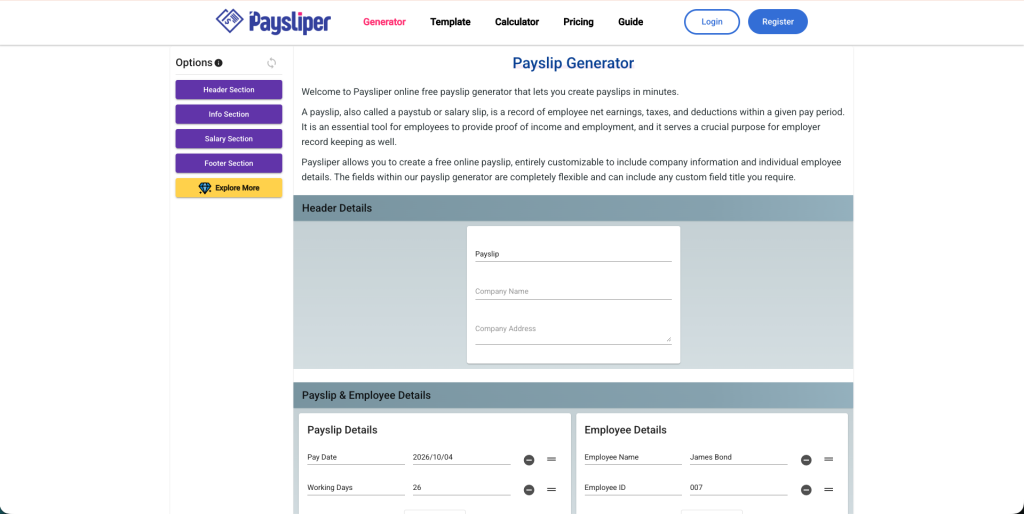
Paysliper’s online payslip generator is a general-purpose tool rather than a Nigeria-specific payroll calculator. Its main strength is flexibility.
Users can customise field titles for:
- Company details
- Employee details
- Earnings
- Deductions
- Net pay
- Amount in words
This can be useful where an organisation calls an earning “field allowance”, “shift premium”, “sales commission”, or another internal term that is not available in a fixed template.
What Paysliper does well
The generator is straightforward. The user completes the company and employee sections, adds earning and deduction lines, reviews the totals, and downloads the result.
The page also offers a “Load Previous Saved Data” option. The related data is stored locally in the browser rather than presented as a central employer archive. Local storage can save some repeated typing on the same device, but it should not be confused with secure employee-level payslip history.
Paysliper also promotes a broader account experience for adding employees and automating payslips. Employers considering that product should compare its current account features and data practices separately from the free generator page.
Main advantages
- Flexible field names
- Simple earnings and deductions structure
- Amount-in-words field
- No Nigerian account setup required for the basic form
- Previous form information may be loaded from the same browser
Limitations
- The free generator is not specifically designed for Nigerian PAYE, pension, or NHF
- It does not show a dedicated bulk CSV workflow
- Calculations and statutory figures depend on the information entered
- Local browser data is not a reliable payroll archive
- Moving to another device or clearing browser data may remove saved form information
Who should choose Paysliper?
Choose Paysliper if you need a quick, highly customisable one-off document, have already calculated the correct Nigerian payroll figures, and maintain employee records somewhere else.
Verdict: Paysliper is flexible for formatting. It is less suitable as the main payroll process for a Nigerian team because it lacks the local calculations, bulk workflow, and connected record-keeping that make Salario more complete.
5. HRMWare: Best for a Simple General-Purpose Payslip
Best for: A user who wants a clean, no-account payslip form and will manually adapt its India-oriented defaults to Nigerian payroll.
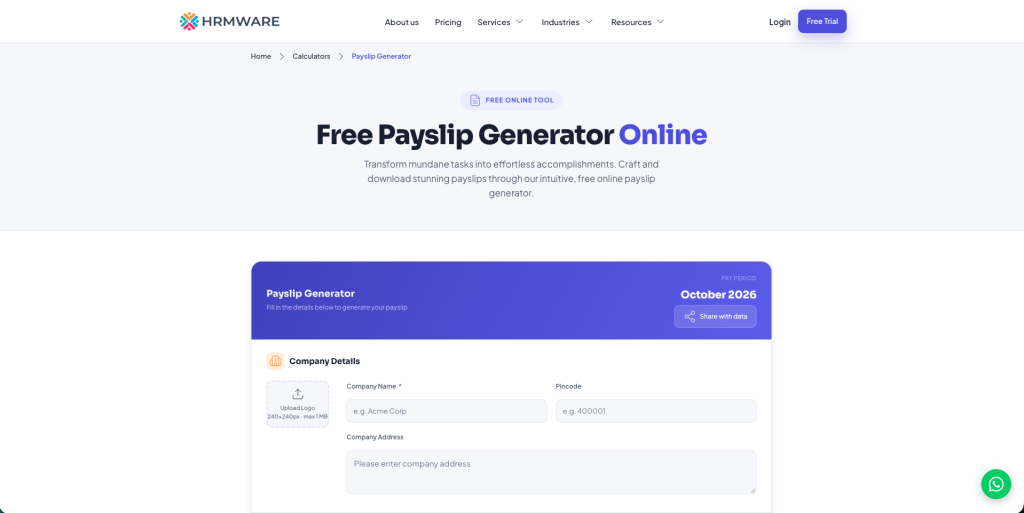
HRMWare’s free payslip generator allows the user to add a company logo, company information, employee details, pay period, payment date, paid days, and loss-of-pay days.
The user can also add custom earnings, deductions, and employer contributions. The form calculates gross earnings, total deductions, net pay, and an amount in words. The document can then be printed or saved as a PDF through the browser.
The page advertises the tool as free, without an account, watermark, or usage limit. Those qualities make it convenient for an occasional document.
Why Nigerian users must adapt it carefully
HRMWare’s default examples and terminology are India-oriented. They include the rupee symbol and items such as HRA, TDS, EPF, ESI, and professional tax.
A Nigerian employer may be able to rename or replace fields, but that is extra work. More importantly, an India-oriented template should not be treated as a source of Nigerian tax or pension calculations.
The employer must enter the correct naira amounts and ensure that Nigerian PAYE, employee pension, reliefs, and other deductions were calculated separately and accurately.
Main advantages
- Free to use without an account
- Company logo and custom line items
- Automatic gross, deduction, and net totals
- Employer-contribution section
- Print and save-as-PDF options
- No watermark claimed on the page
Limitations
- India-oriented currency and sample payroll terms
- No Nigeria-specific statutory calculation workflow
- No dedicated free bulk upload shown
- No organised employee payslip history in the free tool
- Considerable manual adaptation for Nigerian use
Who should choose HRMWare?
Choose HRMWare if you need an occasional general-purpose document, already have final payroll figures, and are comfortable replacing all India-specific labels and defaults.
Verdict: HRMWare is convenient as a generic form, but Nigerian employers will usually save time and reduce ambiguity by choosing a locally designed tool.
6. Sage: Best for Existing Sage Payroll Customers
Best for: Businesses already using a compatible Sage payroll product and needing official printed or sealed payslip stationery.
Sage’s Nigerian payslips page is different from the other options in this comparison.
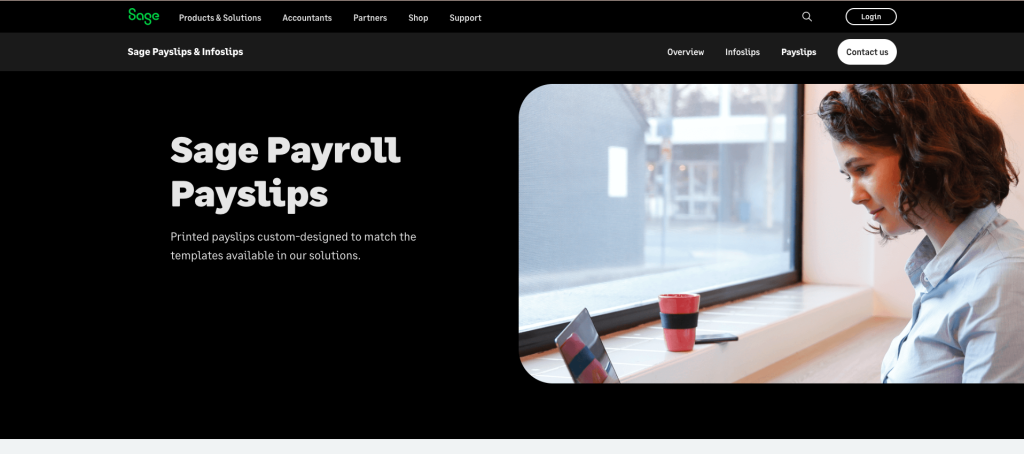
It is not presented as a free standalone web form where a visitor enters an employee’s earnings and downloads a PDF. The page focuses on official pre-printed payslips designed to work with Sage payroll solutions.
The available formats include confidential printed payslips and stationery that can support a professional, standardised payroll process for existing Sage customers.
What Sage does well
For a business already using Sage payroll, compatible stationery can provide:
- A consistent payslip layout
- Confidential presentation
- A professional employee document
- Compatibility with the organisation’s existing payroll workflow
- A physical salary statement for employees who need printed copies
This can be relevant to larger or more traditional businesses that still issue sealed paper payslips.
Why this is not a like-for-like free generator
Someone searching for “free payslip generator in Nigeria” may expect an online form, instant preview, and PDF download. That is not what the reviewed Sage page offers.
Its value depends on the Sage payroll product and printing process already in place. The employer should confirm compatibility, ordering requirements, pricing, and how employee history is retained inside the particular Sage product used.
Main advantages
- Relevant to established Sage payroll users
- Official stationery designed for compatible Sage systems
- Confidential physical formats
- Professional, consistent output
Limitations
- Not a free standalone online generator
- Not suitable for someone who only wants to create one quick PDF
- Requires a compatible Sage payroll workflow
- Pricing and operational setup differ from free browser tools
Who should choose Sage?
Choose Sage’s payslip stationery if your company already runs payroll in Sage and has a genuine need for compatible confidential printed documents.
Verdict: Sage is a specialist choice for existing Sage users, not the best starting point for a small Nigerian employer looking for a free online payslip generator.
Why Zoho Is Not in the Nigerian Top Six
Zoho was considered because its free payslip generator is polished and easy to use. It allows the user to add a logo, company and employee details, paid days, loss of pay, custom earnings, custom deductions, gross pay, and net pay before downloading the document.
However, the reviewed page is explicitly designed for India. Its default concepts include rupees, PAN, UAN, HRA, EPF, professional tax, and TDS. Zoho also states that this free tool is intended for India-specific payslips.
The FAQ explains that the tool does not create multiple pay periods together; the user must add each set of components and download each payslip separately. It also states that data entered into the generator is not stored.
Those qualities may suit an Indian one-off payslip, but they do not make it a top choice for Nigerian payroll. A Nigerian employer would have to replace local identifiers, currency assumptions, tax terminology, and deduction labels manually.
For that reason, Zoho is not ranked among the six best Nigerian options. It is better treated as an example of a good single-payslip interface built for a different jurisdiction.
Single Payslip Generator Versus Bulk Payslip Generator
The difference is larger than the number of PDFs created.
A single payslip generator works like a form
You normally:
- Enter company details
- Enter one employee’s details
- Add earnings
- Add deductions
- Review totals
- Download or send one document
- Clear or edit the form for the next employee
This can be fast for one person. The risk grows with repetition. It is easy to leave the previous employee’s department, email address, bank information, or deduction in the next document.
A bulk payslip generator works from structured payroll data
You normally:
- Download a CSV template
- Add one employee per row
- Validate the complete payroll file
- Upload it once
- Review all parsed employee records
- Generate the full set
- Download or email the individual payslips
- Retain the payroll and issued-document record
This improves speed, but it also improves control. HR and Finance can review the same structured list before anything is sent.
The ideal tool supports both
Even a company that normally processes payroll in bulk occasionally needs one document. A new employee may start mid-month. A corrected bonus may need a replacement payslip. An executive may need an urgent copy.
That is why Salario’s two-mode approach is practical. The bulk workflow handles the normal monthly run, while the individual workflow handles exceptions without forcing the administrator to rebuild a spreadsheet.
Final Verdict
The best payslip generator depends on whether you need a one-off document or a repeatable payroll workflow.
- Choose StaffPay for a detailed Nigerian payslip when you already have the correct figures and need one document.
- Choose SmoothLedger for visually customised, individually created payslips with saved profiles and history after sign-in.
- Choose Paysliper when custom field names are the priority and payroll is calculated elsewhere.
- Choose HRMWare for a simple generic form if you are prepared to replace its India-oriented defaults.
- Choose Sage when your company already uses compatible Sage payroll software and needs official printed payslip stationery.
For the strongest combination of free features and long-term usefulness, choose Salario.
Salario gives Nigerian employers one place to:
- Generate a payslip for one employee
- Upload payroll data and generate payslips in bulk
- Work from gross salary or a target net take-home amount
- Apply relevant Nigerian payroll fields and deductions
- Add company branding and employee information
- Download or email payslips
- Keep track of employee payslips over time
That combination makes Salario the best payslip generator for Nigerian employers who want to solve today’s document task without creating tomorrow’s record-keeping problem. Generate single or bulk employee payslips for free with Salario.